12주차 유니티 게임프로그래밍
2024. 12. 10. 04:49ㆍ게임 프로그래밍/유니티 프로그래밍
반응형
실습1
실습2
실습3
실습4
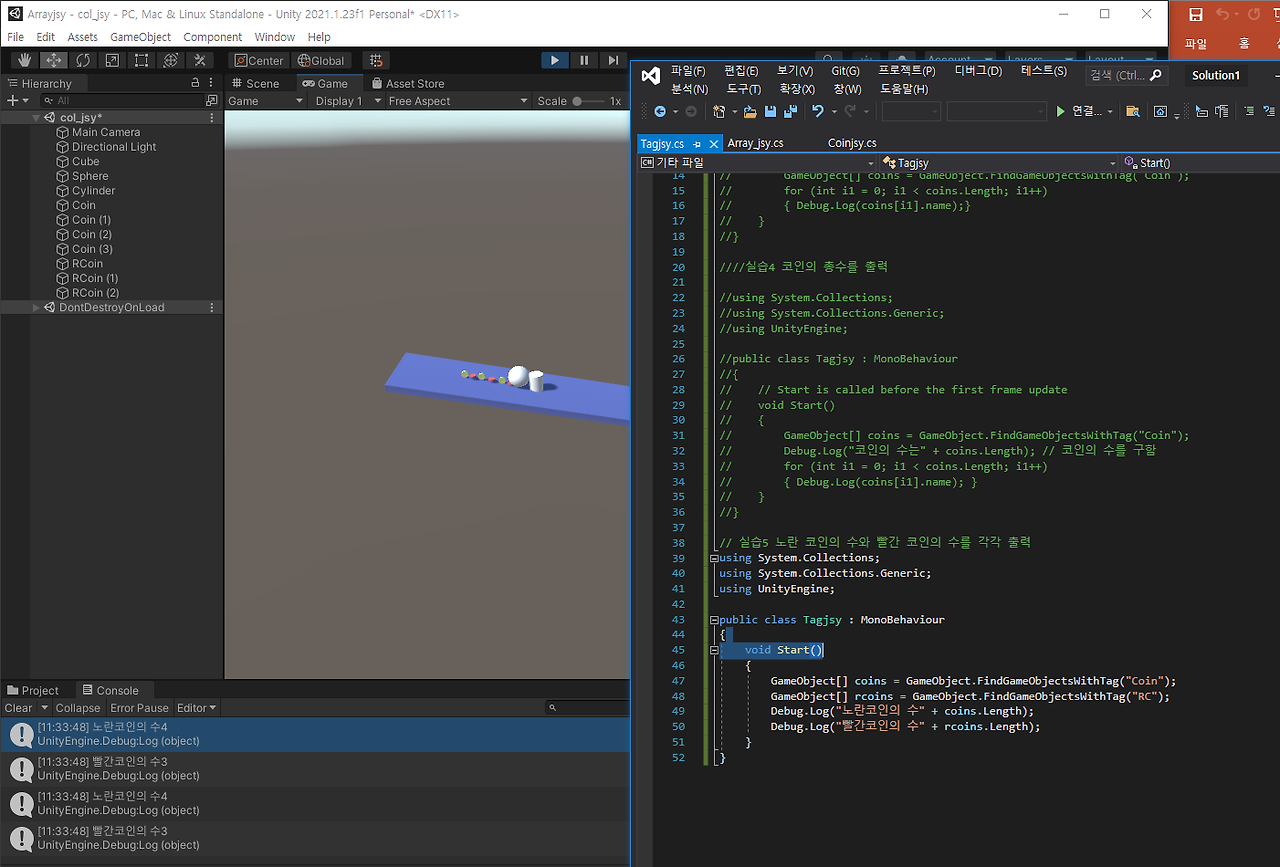
실습5
실습6
// 여러개의 코인 먹기


using system.collections;

using system.collections.generic;

using unityengine;


public class coinjsy : monobehaviour

{


    void ontriggerenter(collider col)

    {// 충동한 객체가 구이면

        if (col.gameobject.name == "sphere")

        {  //z축으로 회전

            gameobject.transform.rotate(0, 0, 90);

        }

    }


    void update()

    {


    }

}


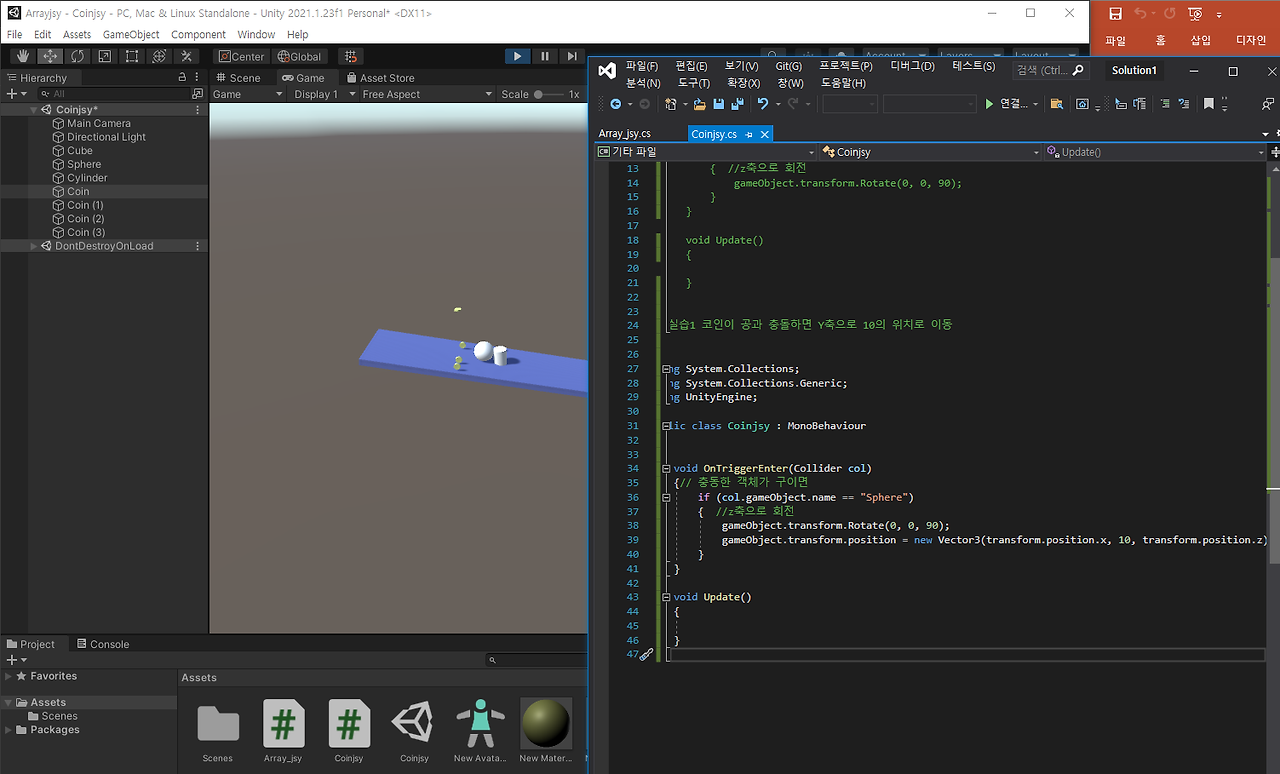
// 실습1 코인이 공과 충돌하면 Y축으로 10의 위치로 이동


using System.Collections;

using System.Collections.Generic;

using UnityEngine;


public class Coinjsy : MonoBehaviour

{


    void OnTriggerEnter(Collider col)

    {// 충동한 객체가 구이면

        if (col.gameObject.name == "Sphere")

        {  //z축으로 회전

            gameObject.transform.Rotate(0, 0, 90);

            gameObject.transform.position = new Vector3(transform.position.x, 10, transform.position.z);

        }

    }


    void Update()

    {


    }

}

// 5명 학생의 성적을 출력하는 프로그램(배열을 사용하지 않는 프로그램)

using System.Collections;

using System.Collections.Generic;

using UnityEngine;


public class Array_jsy : MonoBehaviour

{

    int student1 = 80;

    int student2 = 90;

    int student3 = 100;

    int student4 = 85;

    int student5 = 60;


    void Start()

    {

        Debug.Log(student1);

        Debug.Log(student2);

        Debug.Log(student3);

        Debug.Log(student4);

        Debug.Log(student5);

    }

}


// 배열 사용

using System.Collections;

using System.Collections.Generic;

using UnityEngine;


public class Array_jsy : MonoBehaviour

{

    int[] student = { 80, 90, 100, 85, 60 };


    void Start()

    {

        Debug.Log(student[0]);

        Debug.Log(student[1]);

        Debug.Log(student[2]);

        Debug.Log(student[3]);

        Debug.Log(student[4]);

    }

}


//배열이름.Length: 배열안에 있는 요소의 수

using System.Collections;

using System.Collections.Generic;

using UnityEngine;


public class Array_jsy : MonoBehaviour

{

    int[] student = { 80, 90, 100, 85, 60 };


    void Start()

    {

        Debug.Log(student.Length);

    }

}


// 반복되는 문장을 for문으로 간략화

using System.Collections;

using System.Collections.Generic;

using UnityEngine;


public class Array_jsy : MonoBehaviour

{

    int[] student = { 80, 90, 100, 85, 60 };


    void Start()

    {

        for (int i = 0; i < 5; i++)

            Debug.Log(student[i]);

    }

}


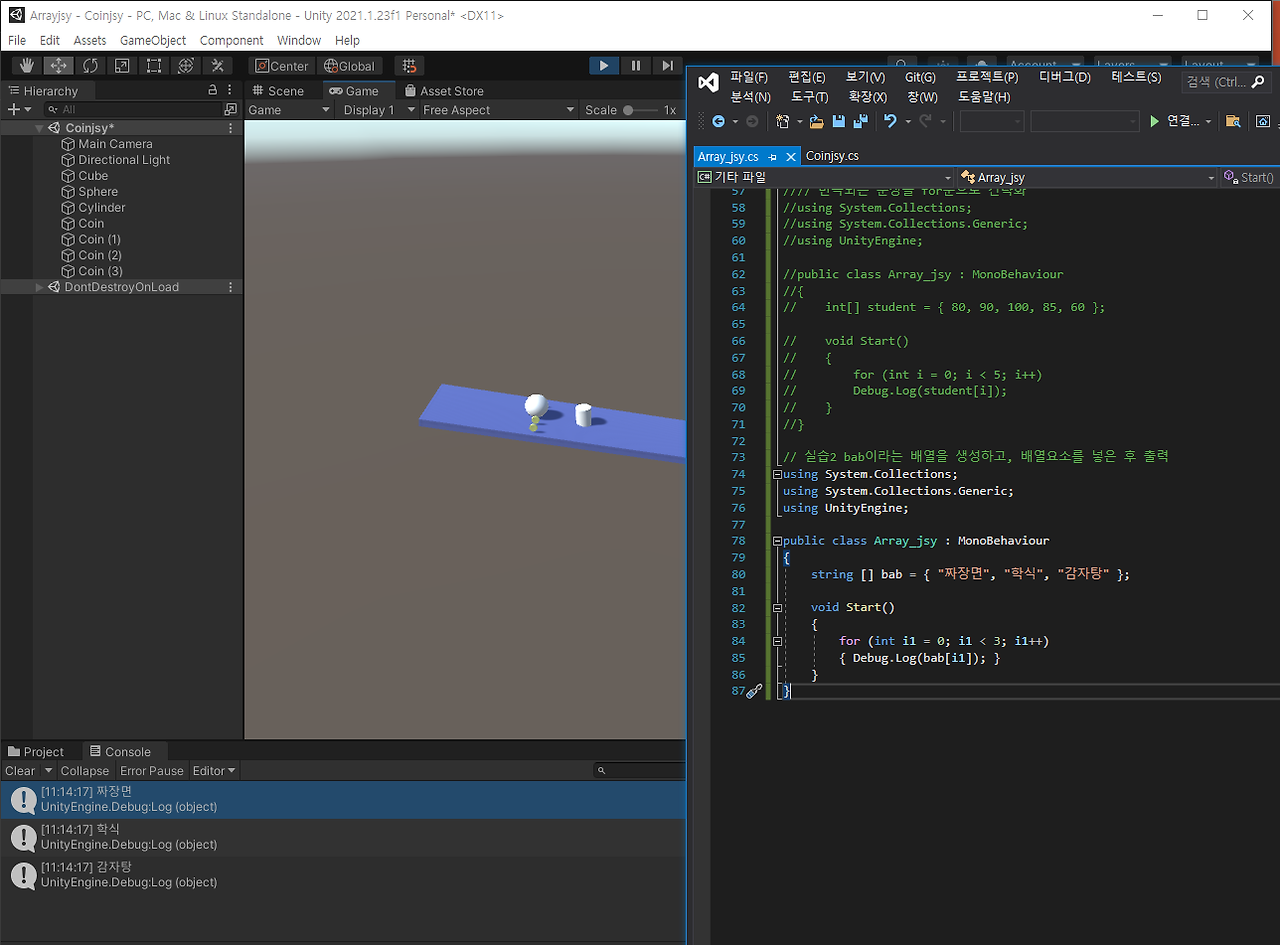
// 실습2 bab이라는 배열을 생성하고, 배열요소를 넣은 후 출력

using System.Collections;

using System.Collections.Generic;

using UnityEngine;


public class Array_jsy : MonoBehaviour

{

    string[] bab = { "짜장면", "학식", "감자탕" };


    void Start()

    {

        for (int i1 = 0; i1 < 3; i1++)

        { Debug.Log(bab[i1]); }

    }

}


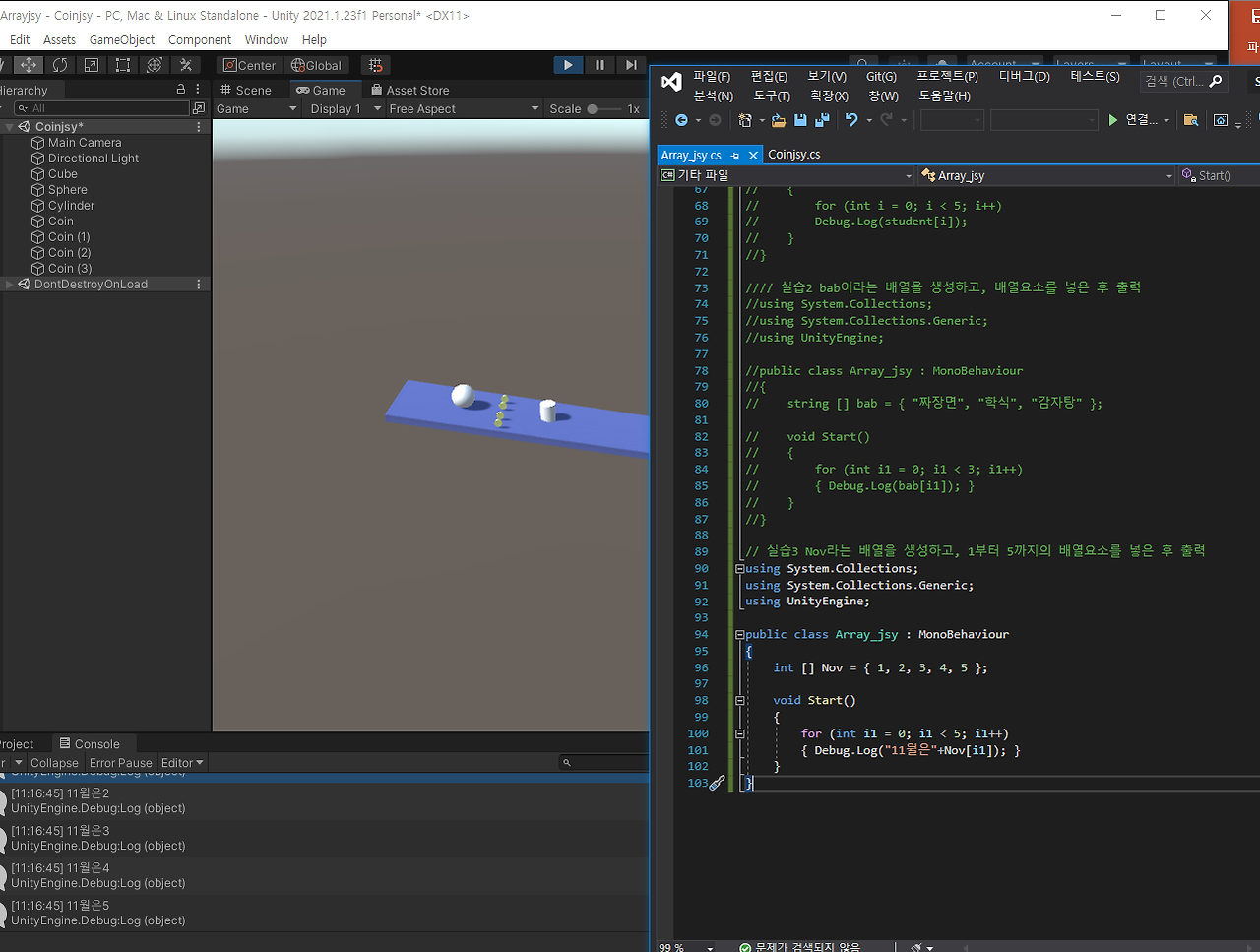
// 실습3 Nov라는 배열을 생성하고, 1부터 5까지의 배열요소를 넣은 후 출력

using System.Collections;

using System.Collections.Generic;

using UnityEngine;


public class Array_jsy : MonoBehaviour

{

    int [] Nov = { 1, 2, 3, 4, 5 };


    void Start()

    {

        for (int i1 = 0; i1 < 5; i1++)

        { Debug.Log("11월은"+Nov[i1]); }

    }

}

//coin’의 태그를 가진 객체를 찾아서 찾을 때마다 coins의 배열에 저장

//다 찾은 후 coins의 배열의 개수만큼 for문을 처리하며 배열요소에 있는

//객체의 이름을 출력


using system.collections;

using system.collections.generic;

using unityengine;


public class tagjsy : monobehaviour

{

    // start is called before the first frame update

    void start()

    {

        gameobject[] coins = gameobject.findgameobjectswithtag("coin");

        for (int i1 = 0; i1 < coins.length; i1++)

        { debug.log(coins[i1].name); }

    }

}


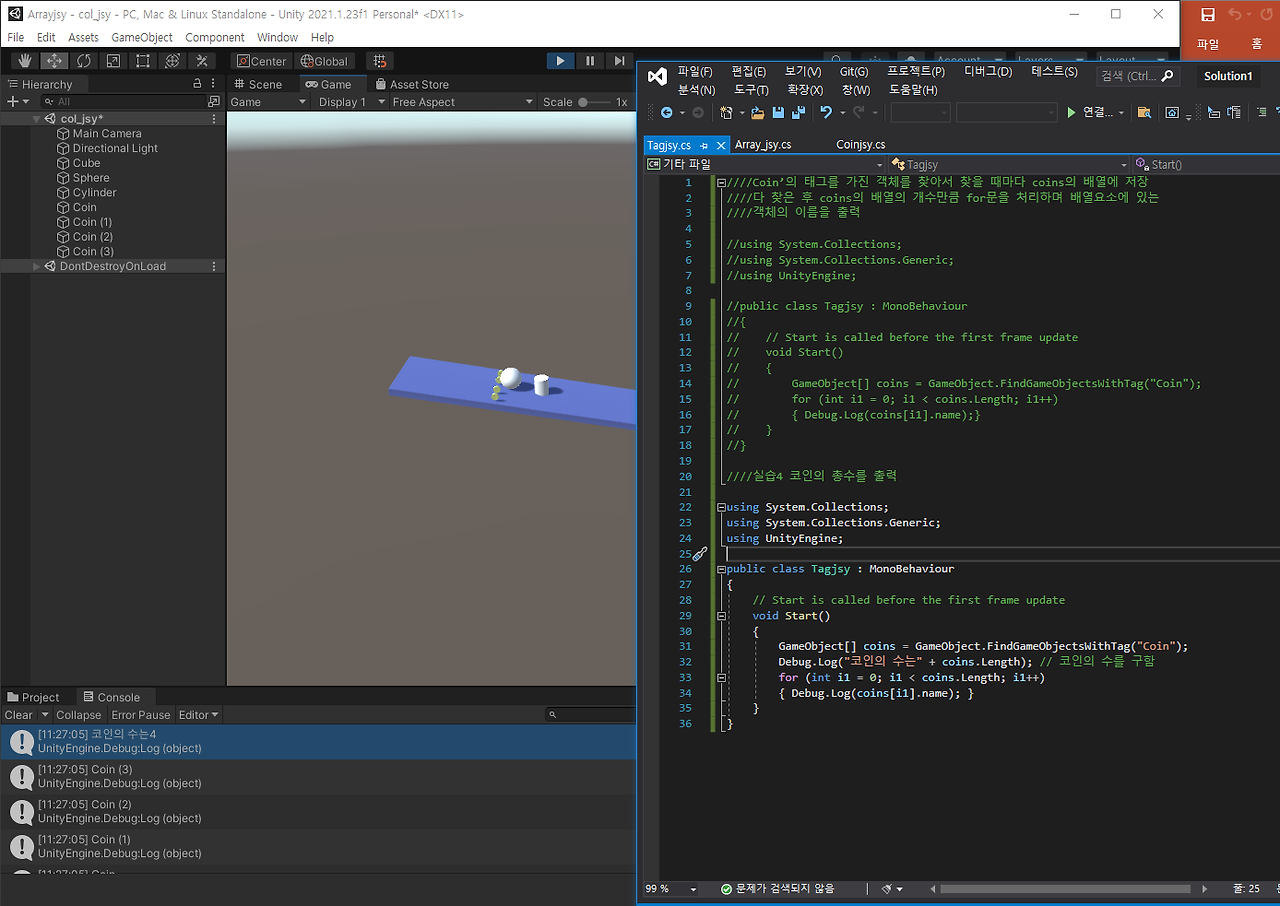
//실습4 코인의 총수를 출력


using system.collections;

using system.collections.generic;

using unityengine;


public class tagjsy : monobehaviour

{

    // start is called before the first frame update

    void start()

    {

        gameobject[] coins = gameobject.findgameobjectswithtag("coin");

        debug.log("코인의 수는" + coins.length); // 코인의 수를 구함

        for (int i1 = 0; i1 < coins.length; i1++)

        { debug.log(coins[i1].name); }

    }

}


// 실습5 노란 코인의 수와 빨간 코인의 수를 각각 출력

using system.collections;

using system.collections.generic;

using unityengine;


public class tagjsy : monobehaviour

{

    void start()

    {

        gameobject[] coins = gameobject.findgameobjectswithtag("coin");

        gameobject[] rcoins = gameobject.findgameobjectswithtag("rc");

        debug.log("노란코인의 수" + coins.length);

        debug.log("빨간코인의 수" + rcoins.length);

    }

}


// 아이템 먹기 또는 밀어내기

/

using system.collections;

using system.collections.generic;

using unityengine;


public class tagjsy : monobehaviour

{

    void ontriggerenter(collider col2)

    {

        if (col2.tag == "coin")

        { // 노란 코인의 위치(원쪽으로 -2만큼 움직임)

            col2.gameobject.transform.position = new vector3(-2, col2.transform.position.y, col2.transform.position.z);

        }

        if (col2.tag == "rc")

        { // 빨간 코인을 먹음

            destroy(col2.gameobject);

        }

    }

}


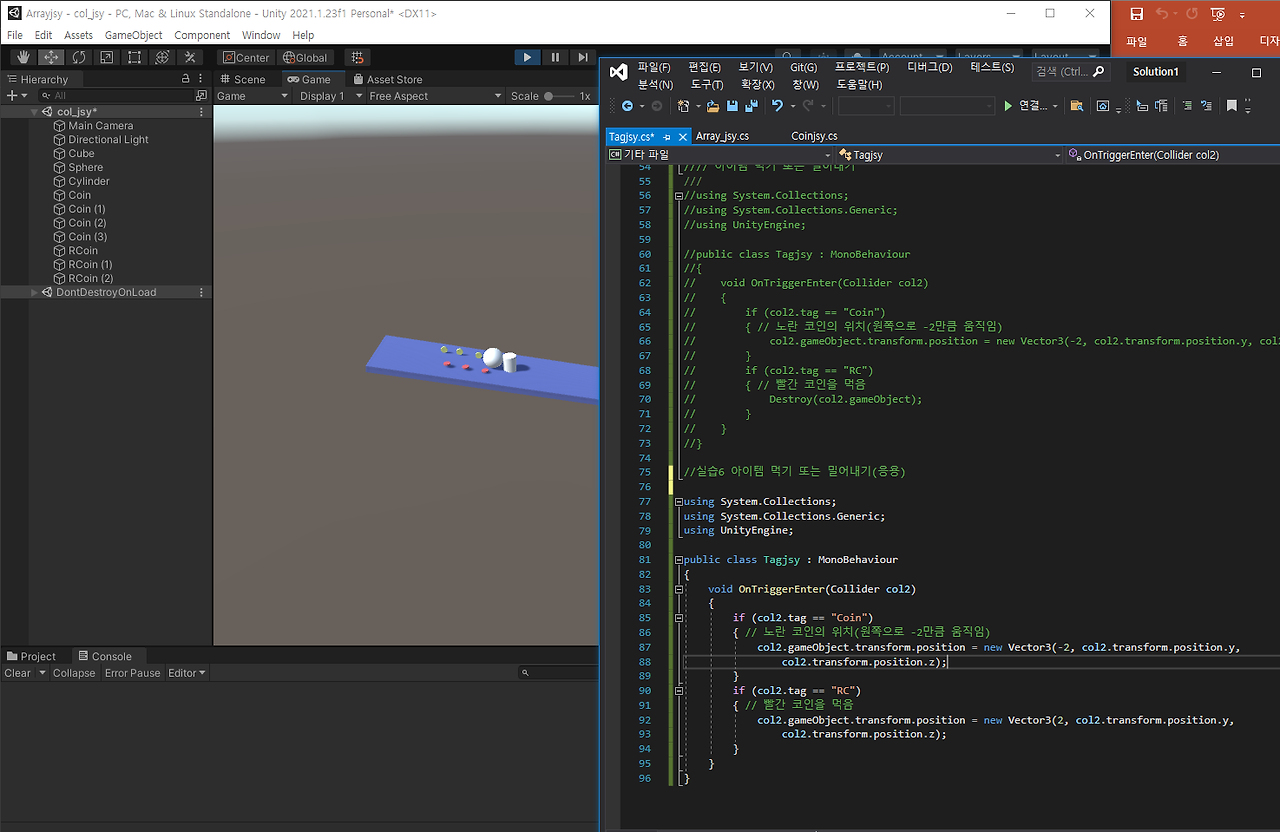
//실습6 아이템 먹기 또는 밀어내기(응용)


using System.Collections;

using System.Collections.Generic;

using UnityEngine;


public class Tagjsy : MonoBehaviour

{

    void OnTriggerEnter(Collider col2)

    {

        if (col2.tag == "Coin")

        { // 노란 코인의 위치(원쪽으로 -2만큼 움직임)

            col2.gameObject.transform.position = new Vector3(-2, col2.transform.position.y,

                col2.transform.position.z);

        }

        if (col2.tag == "RC")

        { // 빨간 코인을 먹음

            col2.gameObject.transform.position = new Vector3(2, col2.transform.position.y,

                col2.transform.position.z);

        }

    }

}
//실습7 추가 과제
public class test1 : MonoBehaviour
{ char k1 = 'a';
char k2 = 'b';
char k3='c';
char k4='d';
void Start()
{
Debug.Log(k1);
Debug.Log(k2);
Debug.Log(k3);
Debug.Log(k4);
}
}
----------------
public class test1 : MonoBehaviour
{
string k1 = "a";
string k2 = "b";
void Start()
{
Debug.Log(k1);
Debug.Log(k2);
}
}
-------------------------
public class test1 : MonoBehaviour
{
float k1 = 1f;
float k2 =2f;
float k3 = 3f;
void Start()
{
Debug.Log(k1);
Debug.Log(k2);
Debug.Log(k3);
}
}'게임 프로그래밍 > 유니티 프로그래밍' 카테고리의 다른 글
| 14주차 유니티 게임프로그래밍 (0) | 2024.12.10 |
|---|---|
| 13주차 유니티 게임 프로그래밍 (0) | 2024.12.10 |
| 11주차 유니티 게임 프로그래밍 (0) | 2024.12.10 |
| 10주차 유니티 게임프로그래밍 (0) | 2024.12.10 |
| 9주차 유니티 게임 프로그래밍 (0) | 2024.12.10 |