9주차 유니티 게임 프로그래밍
2024. 12. 10. 04:43ㆍ게임 프로그래밍/유니티 프로그래밍
반응형
실습0

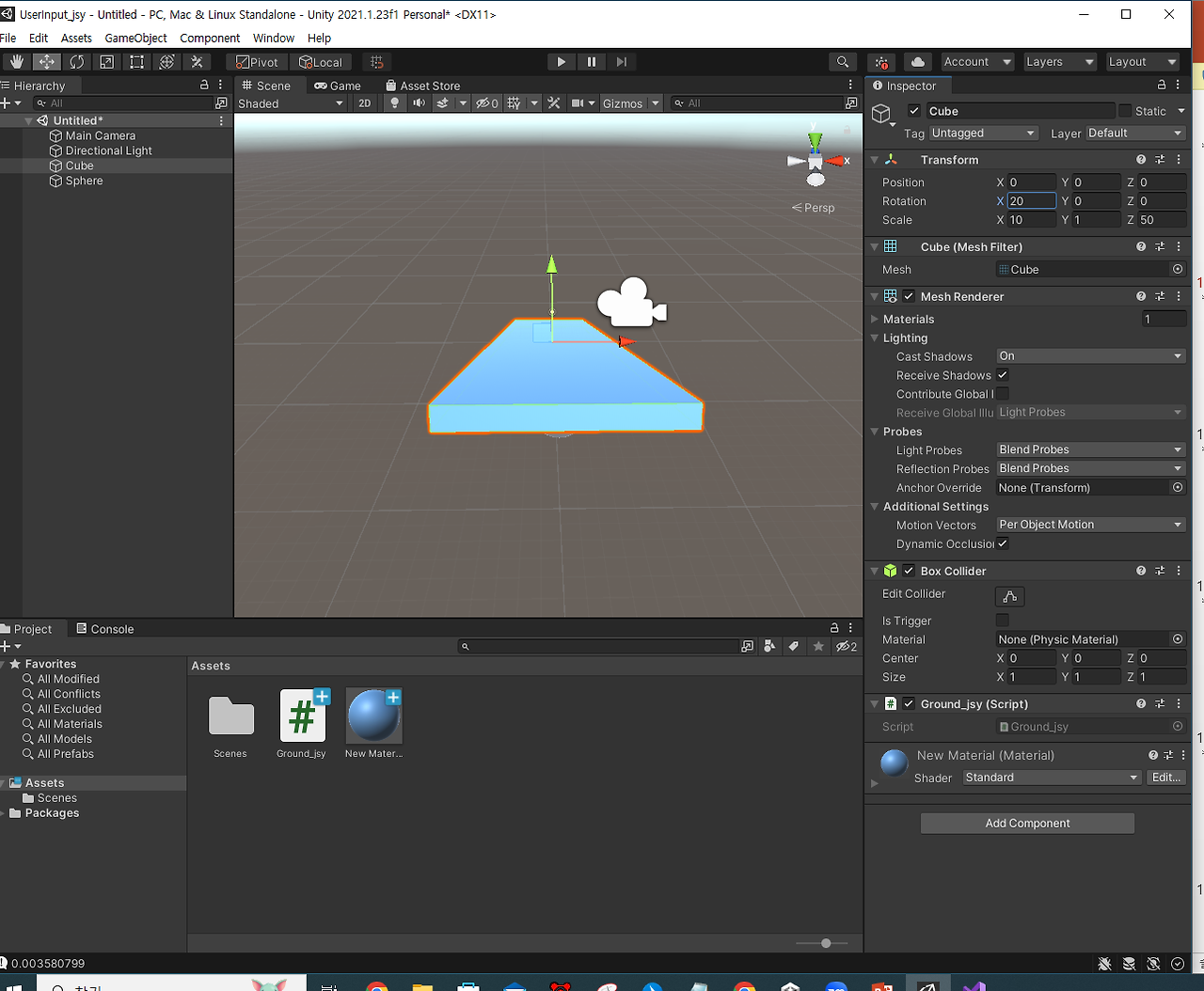
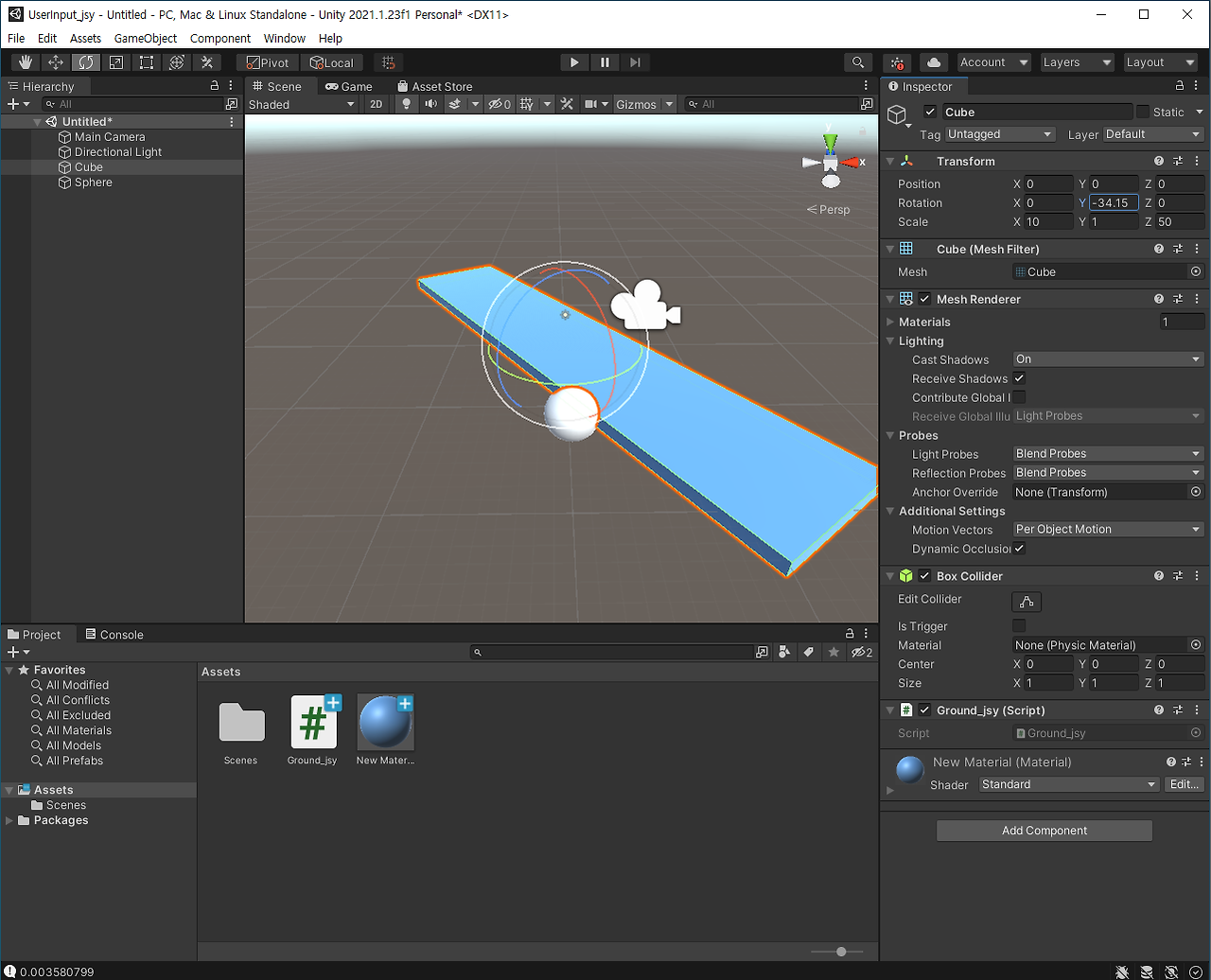
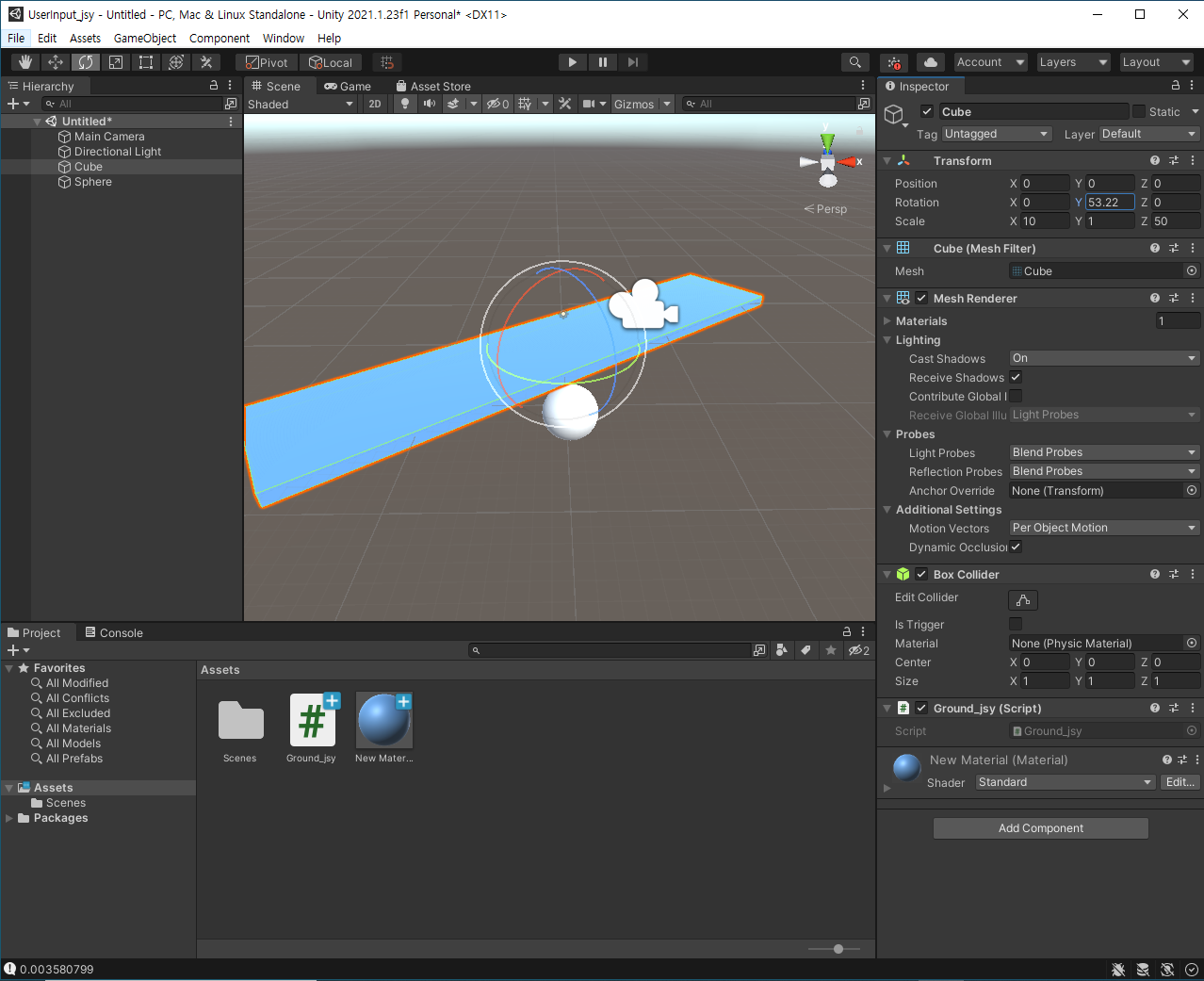
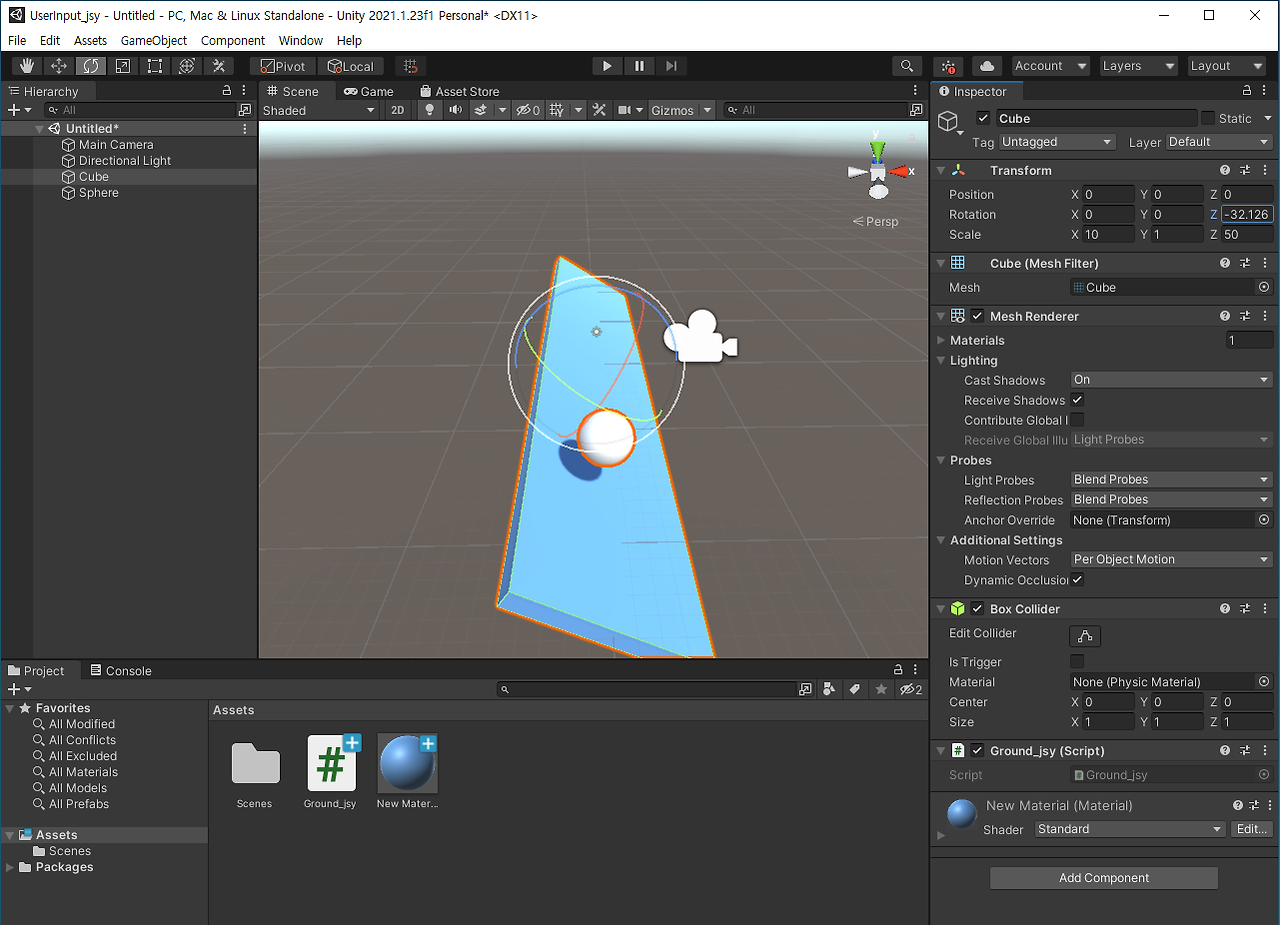
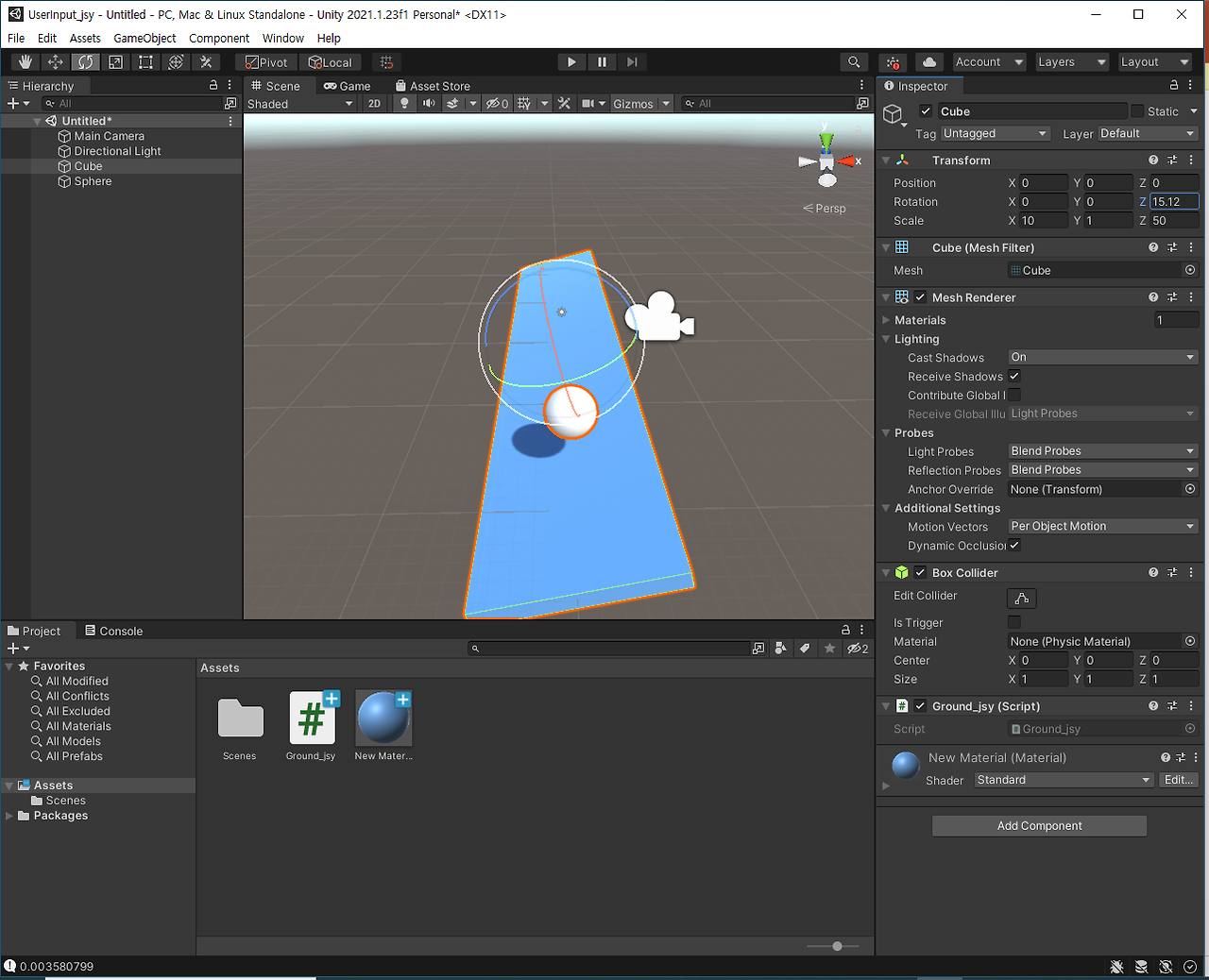
실습1
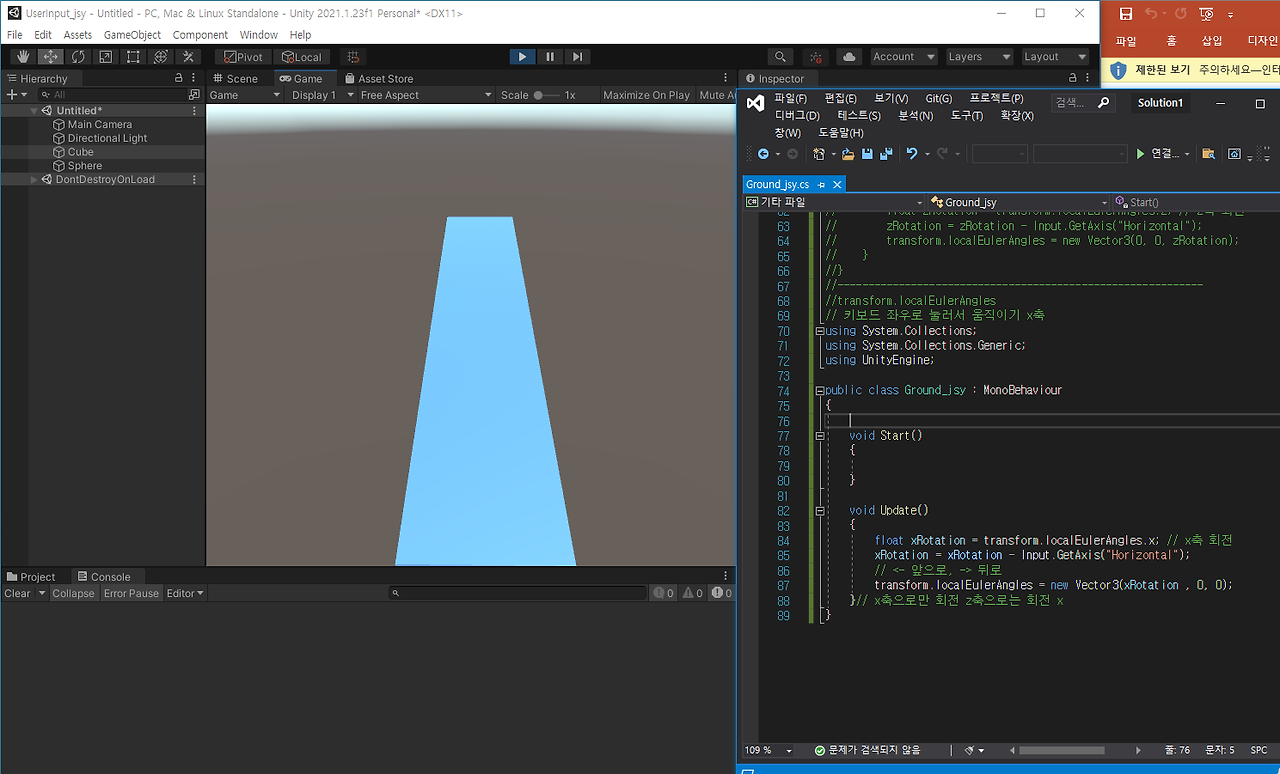
실습2

실습3
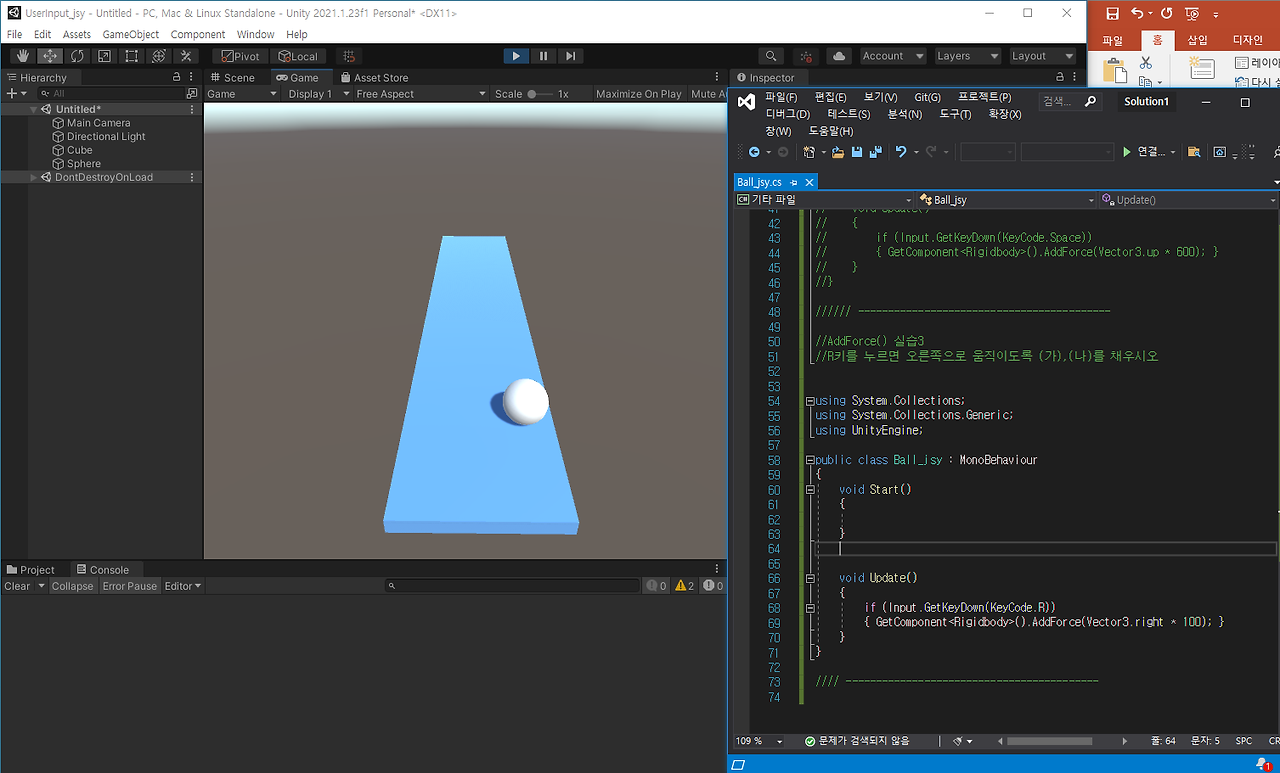
실습4

실습5
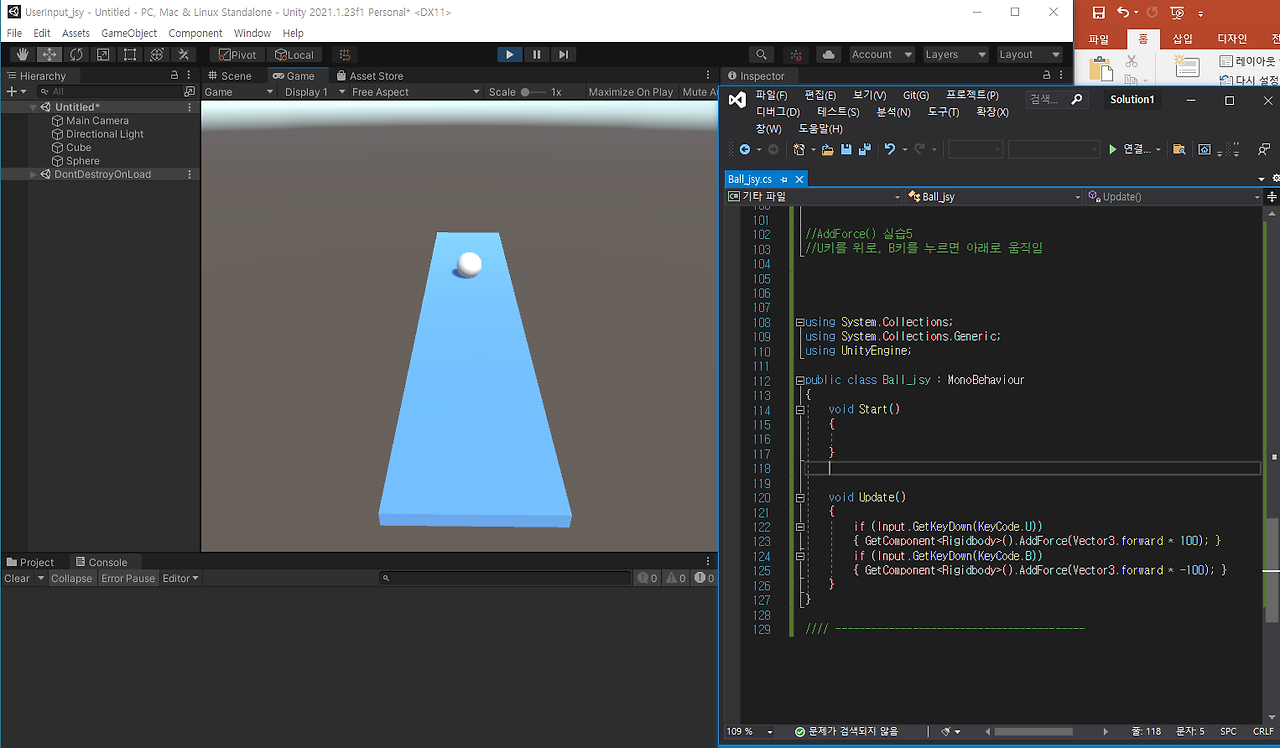
실습6
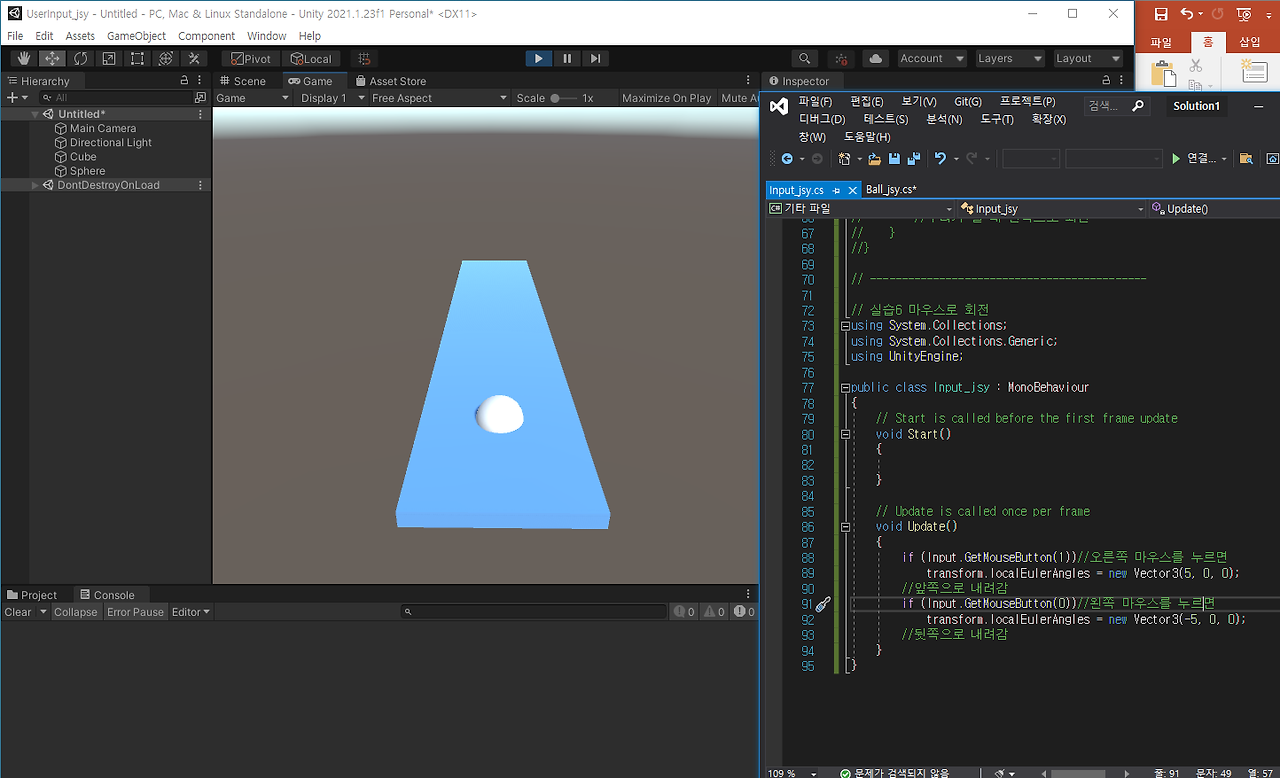
실습7
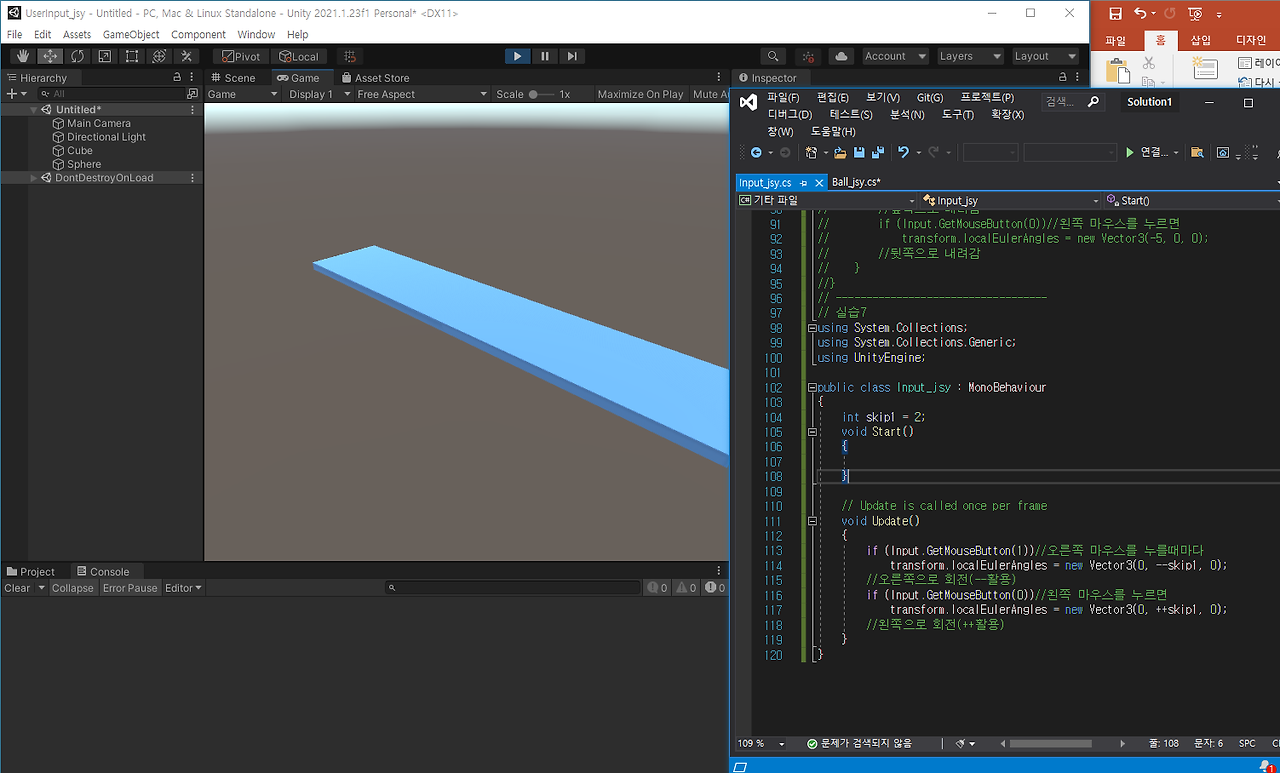
실습8
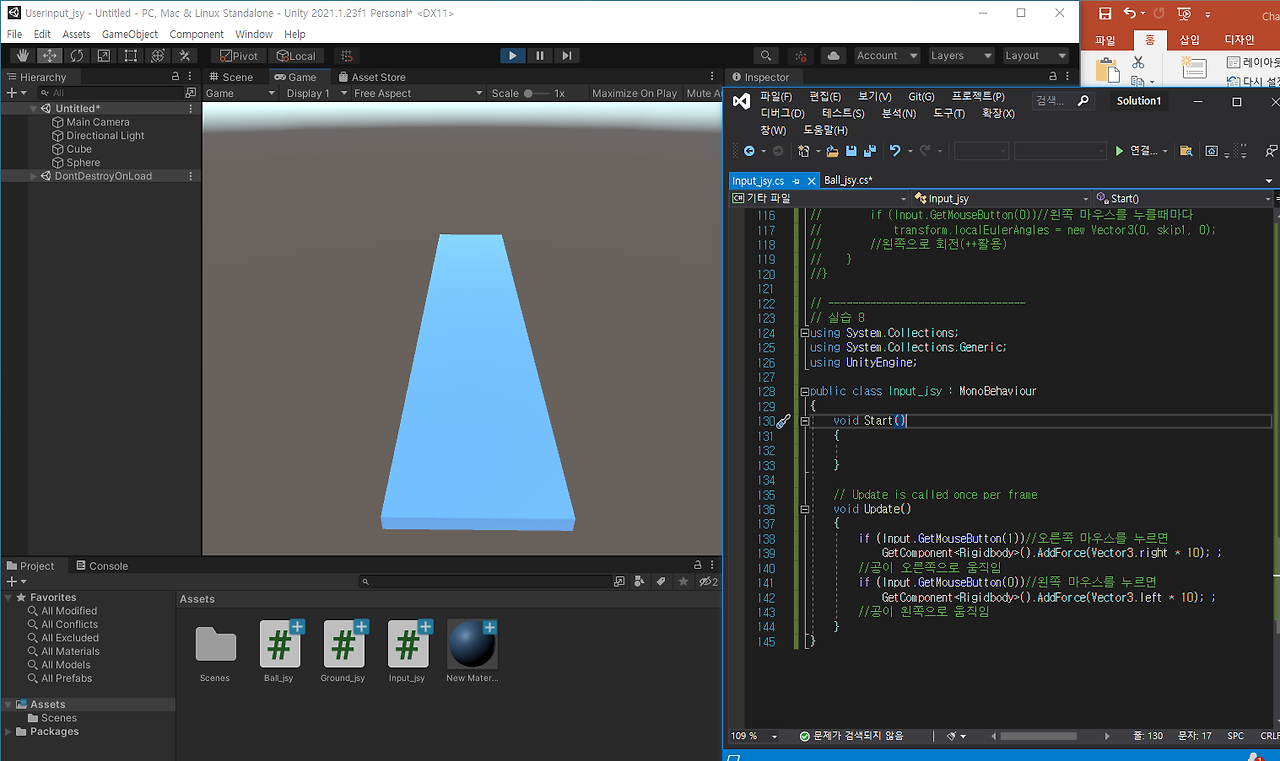
실습9
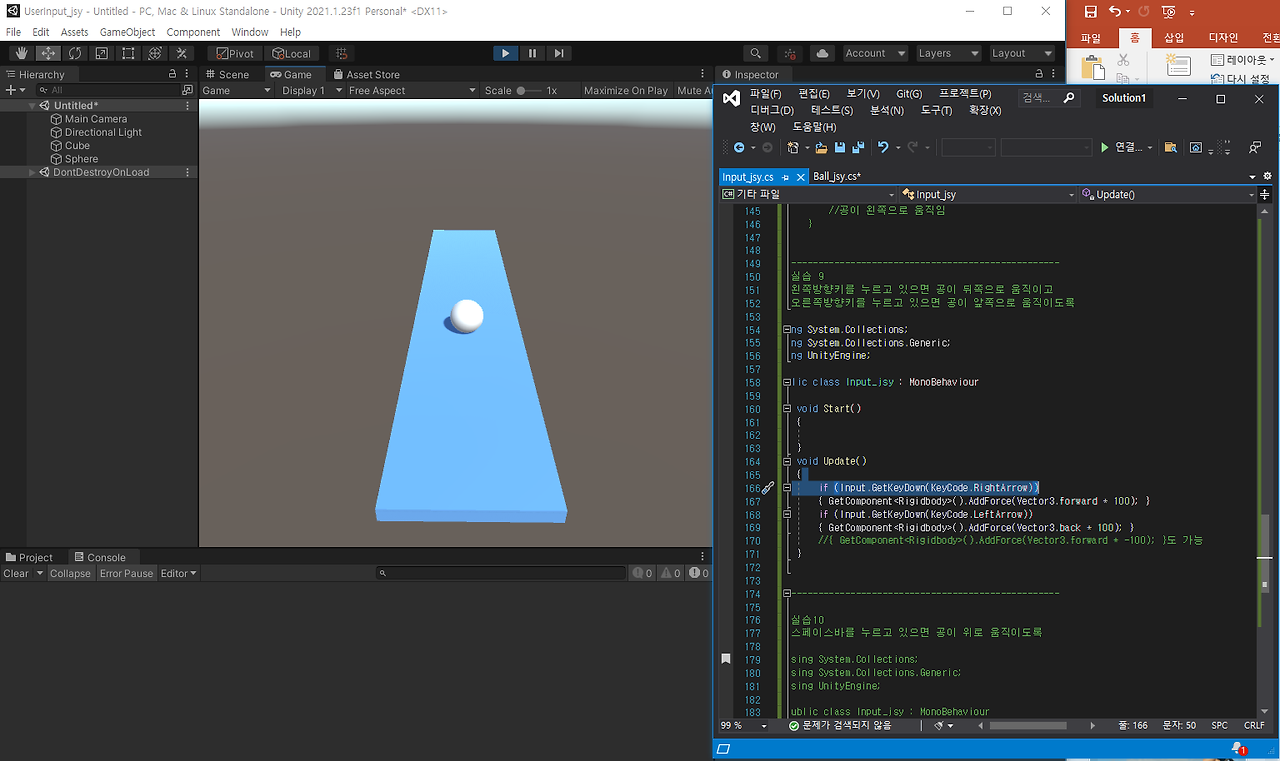
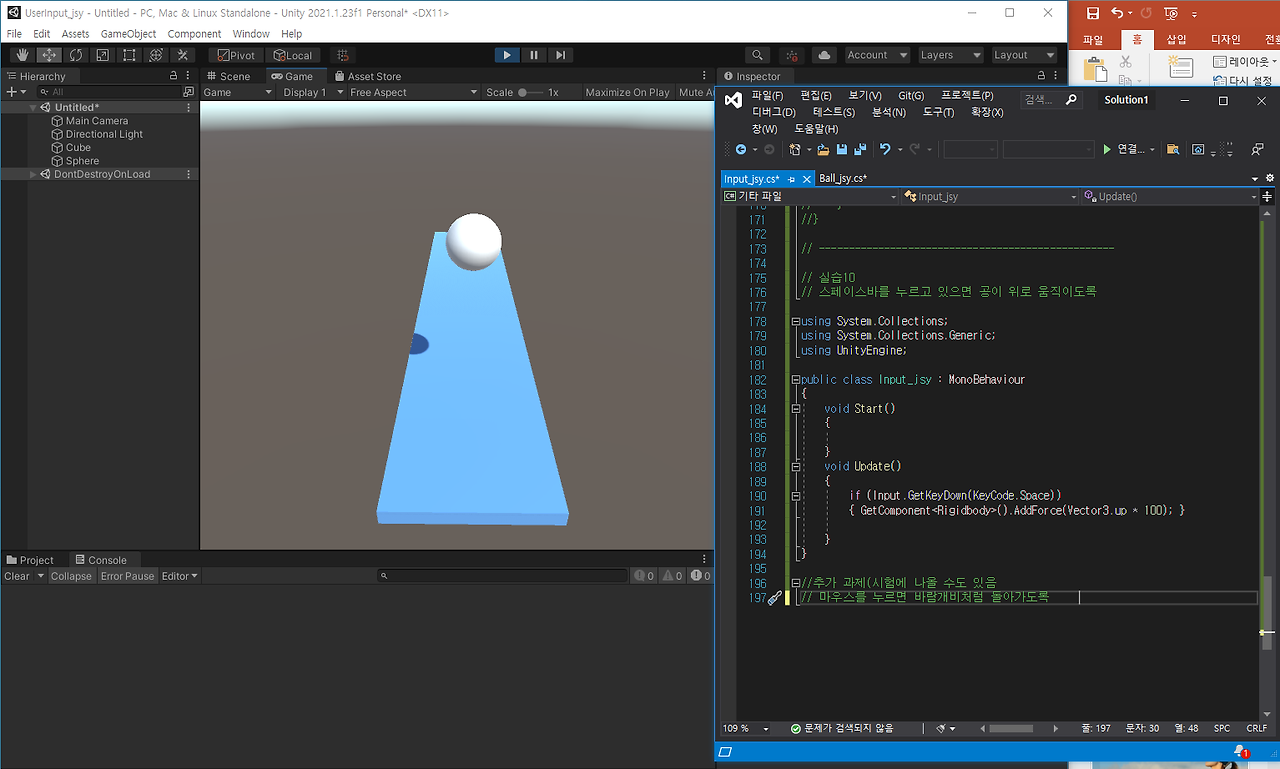
실습10
회전하기
//사용자가 수평("Horizontal“)을 기준으로
//“< -”를 눌렀는가? -1
//“->”를 눌렀는가?1
using System.Collections;

using System.Collections.Generic;

using UnityEngine;


public class Ground_jsy : MonoBehaviour

{


    void Start()

    {


    }


    void Update()

    {

        Debug.Log(Input.GetAxis("Horizontal"));

    }

}


//-------------------------------------

//transform.localEulerAngles


using System.Collections;

using System.Collections.Generic;

using UnityEngine;


public class Ground_jsy : MonoBehaviour

{


    void Start()

    {


    }


    void Update()

    {

        Debug.Log(Input.GetAxis("Horizontal"));

        transform.localEulerAngles = new Vector3(10, 0, -20);

    }

}

//---------------------------------


//transform.localEulerAngles

// 키보드 좌우로 눌러서 움직이기 z축

using System.Collections;

using System.Collections.Generic;

using UnityEngine;


public class Ground_jsy : MonoBehaviour

{


    void Start()

    {


    }


    void Update()

    {

        float zRotation = transform.localEulerAngles.z; // z축 회전

        zRotation = zRotation - Input.GetAxis("Horizontal");

        transform.localEulerAngles = new Vector3(0, 0, zRotation);

    }

}


//------------------------------------------------------------

//transform.localEulerAngles 실습1

// 키보드 좌우로 눌러서 움직이기 x축

using System.Collections;

using System.Collections.Generic;

using UnityEngine;


public class Ground_jsy : MonoBehaviour

{


    void Start()

    {


    }


    void Update()

    {

        float xRotation = transform.localEulerAngles.x; // x축 회전

        xRotation = xRotation - Input.GetAxis("Horizontal");

        // <- 앞으로, -> 뒤로

        transform.localEulerAngles = new Vector3(xRotation, 0, 0);

    }// x축으로만 회전 z축으로는 회전 x

}

// -----------------------------------------------------------


//transform.localEulerAngles 실습2

// 키보드 좌우로 눌러서 움직이기 y축

using System.Collections;

using System.Collections.Generic;

using UnityEngine;


public class Ground_jsy : MonoBehaviour

{


    void Start()

    {


    }


    void Update()

    {

        float yRotation = transform.localEulerAngles.y; // y축 회전

        yRotation = yRotation - Input.GetAxis("Horizontal");

        // <- 왼쪽, -> 오른쪽

        transform.localEulerAngles = new Vector3(0, yRotation, 0);


    }

}

// -----------------------------------------------------------

//Input.GetKeyDown()

//Space바를 눌렀으면 “Space가 눌러짐” 출력


using System.Collections;

using System.Collections.Generic;

using UnityEngine;


public class Ball_jsy : MonoBehaviour

{

    void Start()

    {


    }


    void Update()

    {

        if (Input.GetKeyDown(KeyCode.Space))

        { Debug.Log("Space가 눌러짐"); }

    }

}


// ------------------------------------------


//AddForce()

//‘space바’를 누르면 윗방향으로 600만큼의 힘이 가해짐


using System.Collections;

using System.Collections.Generic;

using UnityEngine;


public class Ball_jsy : MonoBehaviour

{

    void Start()

    {


    }


    void Update()

    {

        if (Input.GetKeyDown(KeyCode.Space))

        { GetComponent<Rigidbody>().AddForce(Vector3.up * 600); }

    }

}


//// ------------------------------------------


//AddForce() 실습3

//R키를 누르면 오른쪽으로 움직이도록 (가),(나)를 채우시오


using System.Collections;

using System.Collections.Generic;

using UnityEngine;


public class Ball_jsy : MonoBehaviour

{

    void Start()

    {


    }


    void Update()

    {

        if (Input.GetKeyDown(KeyCode.R))

        { GetComponent<Rigidbody>().AddForce(Vector3.right * 100); }

    }

}


// ------------------------------------------


//AddForce() 실습4

//L키를 누르면 왼쪽방향으로 움직임


using System.Collections;

using System.Collections.Generic;

using UnityEngine;


public class Ball_jsy : MonoBehaviour

{

    void Start()

    {


    }


    void Update()

    {

        if (Input.GetKeyDown(KeyCode.L))

        { GetComponent<Rigidbody>().AddForce(Vector3.left * 100); }

    }

}


// ------------------------------------------


//AddForce() 실습5

//U키를 위로, B키를 누르면 아래로 움직임


using System.Collections;

using System.Collections.Generic;

using UnityEngine;


public class Ball_jsy : MonoBehaviour

{

    void Start()

    {


    }


    void Update()

    {

        if (Input.GetKeyDown(KeyCode.U))

        { GetComponent<Rigidbody>().AddForce(Vector3.forward * 100); }

        if (Input.GetKeyDown(KeyCode.B))

        { GetComponent<Rigidbody>().AddForce(Vector3.forward * -100); }

    }

}


// ------------------------------------------

//왼쪽 마우스 를 누를 경우 출력

using System.Collections;

using System.Collections.Generic;

using UnityEngine;


public class Input_jsy : MonoBehaviour

{

    // Start is called before the first frame update

    void Start()

    {


    }


    // Update is called once per frame

    void Update()

    {

        if (Input.GetMouseButton(0))

            Debug.Log("왼쪽마우스버튼이 눌러짐");

    }

}

//------------------------------------------


//오른쪽 마우스 를 누를 경우 출력

using System.Collections;

using System.Collections.Generic;

using UnityEngine;


public class Input_jsy : MonoBehaviour

{

    // Start is called before the first frame update

    void Start()

    {


    }


    // Update is called once per frame

    void Update()

    {

        if (Input.GetMouseButton(1))

            Debug.Log("오른쪽 마우스버튼이 눌러짐");

    }

}


//-------------------

 //마우스로 회전

using System.Collections;

using System.Collections.Generic;

using UnityEngine;


public class Input_jsy : MonoBehaviour

{

    // Start is called before the first frame update

    void Start()

    {


    }


    // Update is called once per frame

    void Update()

    {

        if (Input.GetMouseButton(1))//오른쪽 마우스를 누르면

            transform.localEulerAngles = new Vector3(0, -5, 0);

        //우리가 볼 때 오른쪽으로 회전

        if (Input.GetMouseButton(0))//왼쪽 마우스를 누르면

            transform.localEulerAngles = new Vector3(0, 5, 0);

        //우리가 볼 때 왼쪽으로 회전

    }

}


//--------------------------------------------


// 실습6 마우스로 회전

using System.Collections;

using System.Collections.Generic;

using UnityEngine;


public class Input_jsy : MonoBehaviour

{

    // Start is called before the first frame update

    void Start()

    {


    }


    // Update is called once per frame

    void Update()

    {

        if (Input.GetMouseButton(1))//오른쪽 마우스를 누르면

            transform.localEulerAngles = new Vector3(5, 0, 0);

        //앞쪽으로 내려감

        if (Input.GetMouseButton(0))//왼쪽 마우스를 누르면

            transform.localEulerAngles = new Vector3(-5, 0, 0);

        //뒷쪽으로 내려감

    }

}

//-----------------------------------

// 실습7

using System.Collections;

using System.Collections.Generic;

using UnityEngine;


public class Input_jsy : MonoBehaviour

{

    int skip1 = 2;

    void Start()

    {


    }


    // Update is called once per frame

    void Update()

    {

        if (Input.GetMouseButton(1))//오른쪽 마우스를 누를때마다

            transform.localEulerAngles = new Vector3(0, --skip1, 0);

        //오른쪽으로 회전(--활용)

        if (Input.GetMouseButton(0))//왼쪽 마우스를 누를때마다

            transform.localEulerAngles = new Vector3(0, skip1, 0);

        //왼쪽으로 회전(++활용)

    }

}


//---------------------------------

//실습 8

//왼쪽마우스버튼을 클릭하면 공이 왼쪽으로 움직이고

//오른쪽마우스버튼을 클릭하면 공이 오른쪽으로 움직이도록

using System.Collections;

using System.Collections.Generic;

using UnityEngine;


public class Input_jsy : MonoBehaviour

{

    void Start()

    {


    }


    // Update is called once per frame

    void Update()

    {

        if (Input.GetMouseButton(1))//오른쪽 마우스를 누르면

            GetComponent<Rigidbody>().AddForce(Vector3.right * 10); ;

        //공이 오른쪽으로 움직임

        if (Input.GetMouseButton(0))//왼쪽 마우스를 누르면

            GetComponent<Rigidbody>().AddForce(Vector3.left * 10); ;

        //공이 왼쪽으로 움직임

    }

}


//--------------------------------------------------

//실습 9

// 왼쪽방향키를 누르고 있으면 공이 뒤쪽으로 움직이고

// 오른쪽방향키를 누르고 있으면 공이 앞쪽으로 움직이도록


using System.Collections;

using System.Collections.Generic;

using UnityEngine;


public class Input_jsy : MonoBehaviour

{

    void Start()

    {


    }

    void Update()

    {

        if (Input.GetKeyDown(KeyCode.RightArrow))

        { GetComponent<Rigidbody>().AddForce(Vector3.forward * 100); }

        if (Input.GetKeyDown(KeyCode.LeftArrow))

        { GetComponent<Rigidbody>().AddForce(Vector3.back * 100); }

        { GetComponent<Rigidbody>().AddForce(Vector3.forward * -100); }

        도 가능

    }

}


//--------------------------------------------------


//실습10

// 스페이스바를 누르고 있으면 공이 위로 움직이도록


using System.Collections;

using System.Collections.Generic;

using UnityEngine;


public class Input_jsy : MonoBehaviour

{

    void Start()

    {


    }

    void Update()

    {

        if (Input.GetKeyDown(KeyCode.Space))

        { GetComponent<Rigidbody>().AddForce(Vector3.up * 100); }


    }

}

//------------------------------------------------------

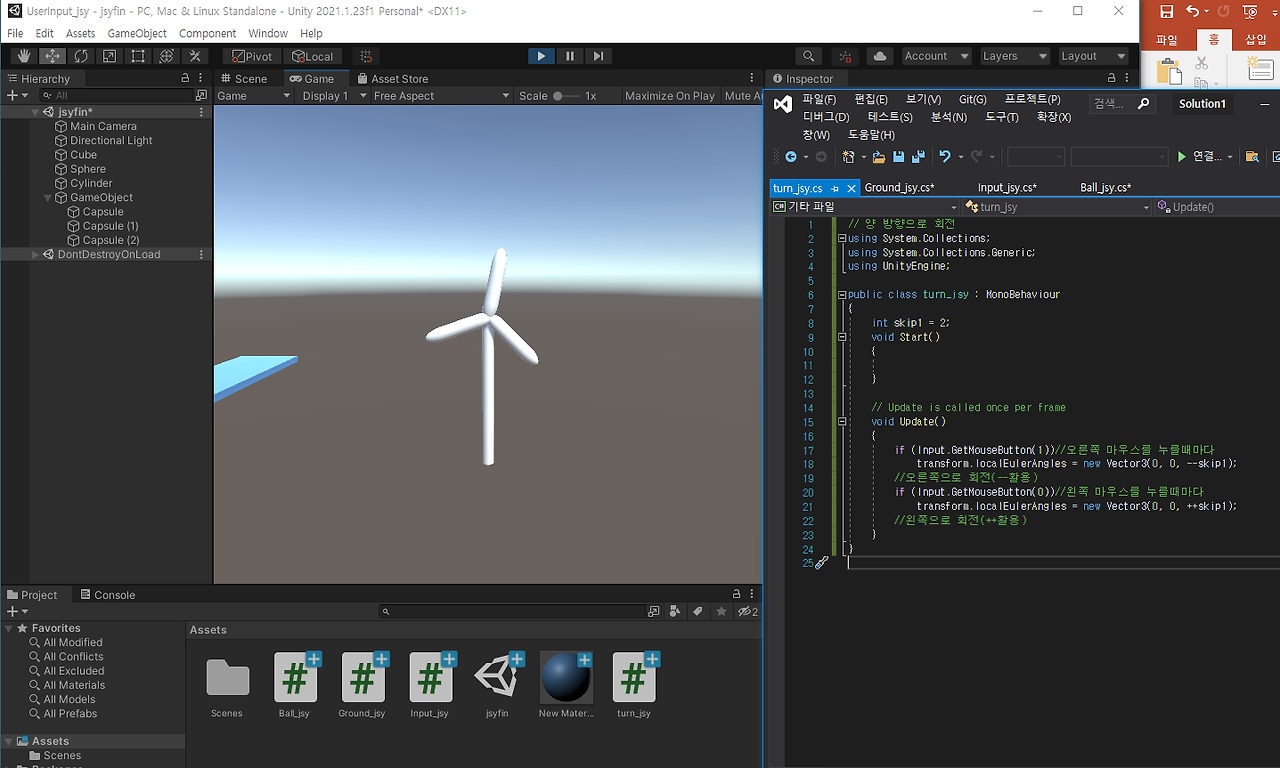
//추가 과제(시험에 나올 수도 있음


//마우스를 누르면 바람개비처럼 돌아가도록

// 양 방향으로 회전

using System.Collections;

using System.Collections.Generic;

using UnityEngine;


public class turn_jsy : MonoBehaviour

{

    int skip1 = 2;

    void Start()

    {


    }


    // Update is called once per frame

    void Update()

    {

        if (Input.GetMouseButton(1))//오른쪽 마우스를 누를때마다

            transform.localEulerAngles = new Vector3(0, 0, --skip1);

        //오른쪽으로 회전(--활용)

        if (Input.GetMouseButton(0))//왼쪽 마우스를 누를때마다

            transform.localEulerAngles = new Vector3(0, 0, ++skip1);

        //왼쪽으로 회전(++활용)

    }

}'게임 프로그래밍 > 유니티 프로그래밍' 카테고리의 다른 글
| 12주차 유니티 게임프로그래밍 (0) | 2024.12.10 |
|---|---|
| 11주차 유니티 게임 프로그래밍 (0) | 2024.12.10 |
| 10주차 유니티 게임프로그래밍 (0) | 2024.12.10 |
| 유니티 7주차 수업 내용 및 코드 (0) | 2024.10.16 |
| 4주차 유니티 프로그래밍 (0) | 2024.09.25 |