spring ai 1일차 / springai00 멀티 모델 통합 챗봇 환경 구축
2026. 5. 6. 19:33ㆍ대우개발원 수업 내용/spring기반 ai
반응형
Spring AI 기반 멀티 모델 통합 챗봇 환경 구축
1. 프로젝트 초기 설정 및 API 키 보안 관리
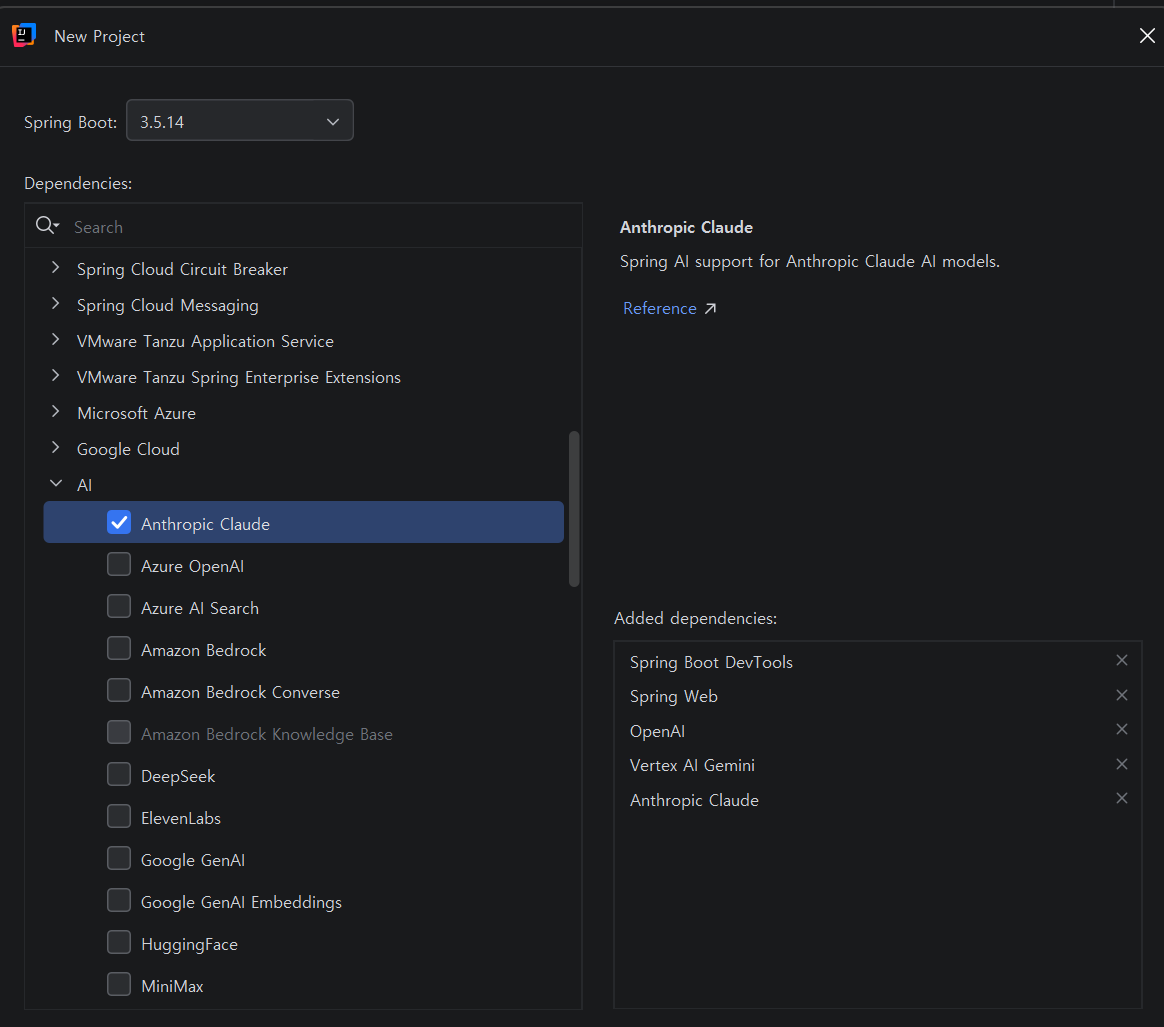
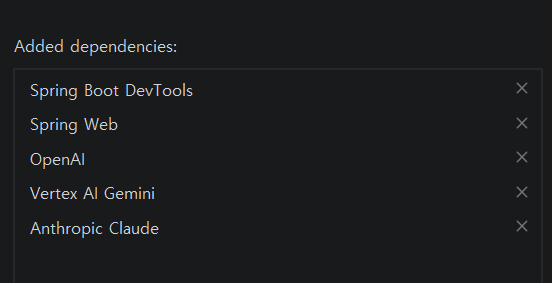
- 프로젝트 생성: Spring AI 의존성을 포함한 springai00 프로젝트를 생성함
- 환경 변수 설정: application.properties에 각 서비스(OpenAI, Anthropic, Google)의 발급받은 API 키를 등록함
- Gemini 호환 설정: Spring AI 1.x 버전에서 Gemini의 직접 연결 불안정성을 해결하기 위해, OpenAI 호환 엔드포인트(base-url)를 추가 설정함
2. ChatService의 다중 API 객체 초기화
- 생성자 주입: @Value 어노테이션을 사용해 설정 파일의 API 키와 URL을 서비스 클래스에 주입함
- API 빌더 활용: 각 AI 서비스별 전용 API 객체(OpenAiApi, AnthropicApi)를 빌더 패턴으로 생성함
- Gemini 연동 트릭: Gemini의 경우 OpenAiApi.builder()를 재사용하되, baseUrl과 completionsPath를 Gemini 전용 경로로 지정하여 연동성을 확보함
3. 모델별 맞춤 호출 로직 구현 (OpenAI & Anthropic)
- OpenAI (GPT-4o): SystemMessage와 UserMessage로 대화 맥락을 구성하고, temperature 등 옵션을 포함한 Prompt를 생성하여 OpenAiChatModel을 통해 답변을 요청함
- Anthropic (Claude): 클로드 전용 모델인 claude-sonnet-4-5를 지정하고, Anthropic 전용 ChatModel을 빌드하여 일관된 인터페이스로 결과를 반환받음
4. OpenAI 호환 방식을 이용한 Gemini 호출 최적화
- 모델 지정: 최신 모델인 gemini-2.0-flash-lite 등을 모델명으로 설정함
- 모델 재사용: Gemini 전용 엔드포인트가 설정된 geminiApi 객체를 OpenAiChatModel에 주입함으로써, 별도의 추가 라이브러리 없이도 동일한 호출 방식을 유지함
5. 시스템 메시지 및 하이퍼파라미터 제어
- 페르소나 부여: 모든 모델 호출 시 "You are a helpful assistant."라는 시스템 메시지를 주입해 답변의 일관성을 높임
- 창의성 조절: 호출 시마다 temperature 값을 파라미터로 전달받아, 모델의 창의성(무작위성)을 유연하게 제어하도록 설계함
[요약]
Spring AI 기반 멀티 모델 통합 챗봇 환경 구축
1. OpenAI, Anthropic, Google Gemini API 키 및 엔드포인트 환경 설정
2. 생성자 주입을 통한 다중 AI API 객체 빌드 및 관리
3. 각 모델별 전용 ChatModel을 활용한 메시지 전송 및 응답(ChatResponse) 획득 로직 구현
4. OpenAI 호환 방식을 적용한 Gemini 모델 호출의 간소화 및 호환성 확보
5. SystemMessage와 Temperature 옵션을 통한 응답 퀄리티 및 스타일 제어
springai00프로젝트 생성


application.properties 코드 수정
더보기
spring.application.name=springai00

spring.ai.openai.api-key= # api키 입력
spring.ai.anthropic.api-key= # api키 입력
spring.ai.anthropic.chat.options.model=claude-sonnet-4-5
spring.ai.google.ai.api-key= # api키 입력
ChatService 클래스 생성
더보기
package com.example.springai00;

import org.springframework.ai.anthropic.api.AnthropicApi;
import org.springframework.ai.openai.api.OpenAiApi;
import org.springframework.beans.factory.annotation.Value;
import org.springframework.stereotype.Service;

@Service

public class ChatService {
    // 각 AI 서비스 API 객체 (실제 HTTP 통신 담당)
    private final OpenAiApi openAiApi;
    private final AnthropicApi anthropicApi;
    private final OpenAiApi geminiApi;

    // 생성자 주입 (application.properties 값 주입)
    public ChatService(
            // 설정 파일(application.properties)에 있는 값을 필드나 생성자에 주입.
            // OpenAI API 키
            @Value("${spring.ai.openai.api-key}") String openAiApiKey,
            // Anthropic(Claude) API 키
            @Value("${spring.ai.anthropic.api-key}") String anthropicApiKey,
            // Gemini API 키 (Google AI Studio 방식)
            @Value("${spring.ai.google.ai.api-key}") String geminiApiKey,
    )
}
application.properties 코드 수정
더보기
# Gemini용 추가 설정 (baseUrl 반영)
gemini.api.base-url=https://generativelanguage.googleapis.com/v1beta/openai/
ChatService 클래스 수정
더보기
// Gemini Base URL (OpenAI 호환 API 주소)
        @Value("${gemini.api.base-url}") String geminiBaseUrl) {
    // OpenAI API 객체 생성
    this.openAiApi = OpenAiApi.builder()
            .apiKey(openAiApiKey) // 인증키 설정
            .build();
    // Anthropic API 객체 생성
    this.anthropicApi = AnthropicApi.builder()
            .apiKey(anthropicApiKey)
            .build();
    // Spring AI 1.1.x 에서는 Google API Key 방식이 불안정 / 미지원 상태
    // Vertex AI 방식은 GCP project-id + JSON 인증 필요. 복잡하고 사용 어려움.
    // So. Gemini 는 OpenAI 호환 API 형식 사용
    this.geminiApi = OpenAiApi.builder()
            .apiKey(geminiApiKey)
            .baseUrl(geminiBaseUrl) // Gemini endpoint
            .completionsPath("/chat/completions") // OpenAI 호환 경로
            .build();
}
public ChatResponse getOpenAiResponse(String userInput, double temperature) {
    // 메시지 구성
    List<Message> messages = Arrays.asList(
            new SystemMessage("You are a helpful assistant."),
            new UserMessage(userInput)
    );
    // 챗 옵션 설정
    ChatOptions chatOptions = ChatOptions.builder()
            .model("gpt-4o")
            .temperature(temperature)
            .build();
    // 프롬프트 생성
    Prompt prompt = new Prompt(messages, chatOptions);
    // 챗 모델 생성
    OpenAiChatModel chatModel = OpenAiChatModel.builder()
            .openAiApi(openAiApi)
            .build();
    // 챗 모델 호출
    return chatModel.call(prompt);
}
// Anthropic (Claude) 호출
public ChatResponse getAnthropicResponse(String userInput, double temperature) {
    List<Message> messages = Arrays.asList(
            new SystemMessage("You are a helpful assistant."),
            new UserMessage(userInput)
    );
    ChatOptions chatOptions = ChatOptions.builder()
            .model("claude-sonnet-4-5")
            .temperature(temperature)
            .build();
    // Anthropic 전용 ChatModel 생성
    AnthropicChatModel chatModel =
            AnthropicChatModel.builder()
            .anthropicApi(anthropicApi)
            .build();
    return chatModel.call(new Prompt(messages, chatOptions));
}

Description, Default를 확인
gemini-2.0-flash
ChatService
더보기
// Gemini 호출 (OpenAI 호환 방식)
public ChatResponse getGeminiResponse(String userInput, double temperature) {
    List<Message> messages = Arrays.asList(
            new SystemMessage("You are a helpful assistant."),
            new UserMessage(userInput)
    );
    ChatOptions chatOptions = ChatOptions.builder()
            .model("gemini-2.0-flash-lite") // Gemini 모델
            .temperature(temperature)
            .build();
    // Gemini는 OpenAI API 형식을 흉내낸 endpoint 사용가능
    // 그래서 OpenAiChatModel을 그대로 재사용
    OpenAiChatModel chatModel =
            OpenAiChatModel.builder()
                    .openAiApi(geminiApi)
                    .build();
    return chatModel.call(new Prompt(messages, chatOptions));
    }
'대우개발원 수업 내용 > spring기반 ai' 카테고리의 다른 글
| spring ai 9일차 / 다중 llm, springai5 (0) | 2026.05.19 |
|---|---|
| spring ai 6,7,8일차 / , springai4 (0) | 2026.05.18 |
| spring ai 5일차 / springaigroq groq, springai1 (0) | 2026.05.12 |
| spring ai 3,4일차 / springaigroq groq, springai1 (0) | 2026.05.11 |
| spring ai 2일차 / springaiollama (1) | 2026.05.07 |