안드로이드 14주차 11/20 사용자정의 대화상자
2025. 12. 4. 16:00ㆍ2025 상,하반기 전공과목/2025 안드로이드 개발 정리
반응형
package com.example.a_1204;

import androidx.appcompat.app.AppCompatActivity;
import androidx.appcompat.app.AlertDialog;

import android.content.DialogInterface;   // ★ 반드시 추가!
import android.os.Bundle;
import android.view.View;
import android.widget.Button;
import android.widget.EditText;
import android.widget.TextView;

public class MainActivity extends AppCompatActivity {

    TextView tvName, tvEmail;
    Button button1;
    EditText dlgEdtName, dlgEdtEmail;
    View dialogView;

    @Override
    protected void onCreate(Bundle savedInstanceState) {
        super.onCreate(savedInstanceState);
        setContentView(R.layout.main);
        setTitle("2024001910 정상연 안드로이드 대화상자");

        tvName = findViewById(R.id.tvName);
        tvEmail = findViewById(R.id.tvEmail);
        button1 = findViewById(R.id.button1);

        button1.setOnClickListener(new View.OnClickListener() {
            @Override
            public void onClick(View view) {

                dialogView = (View) View.inflate(MainActivity.this,
                        R.layout.dialog01, null);

                AlertDialog.Builder dlg =
                        new AlertDialog.Builder(MainActivity.this);
                dlg.setTitle("사용자 정보 입력");
                dlg.setView(dialogView);

                dlg.setPositiveButton("확인", new DialogInterface.OnClickListener() {
                    @Override
                    public void onClick(DialogInterface dialogInterface, int i) {

                        dlgEdtName = dialogView.findViewById(R.id.dlgEdt1);
                        dlgEdtEmail = dialogView.findViewById(R.id.dlgEdt2);

                        tvName.setText(dlgEdtName.getText().toString());
                        tvEmail.setText(dlgEdtEmail.getText().toString());
                    }
                });

                dlg.setNegativeButton("취소", null);
                dlg.show();
            }
        });
    }
}
기말고사 문제 나올 확률 높음
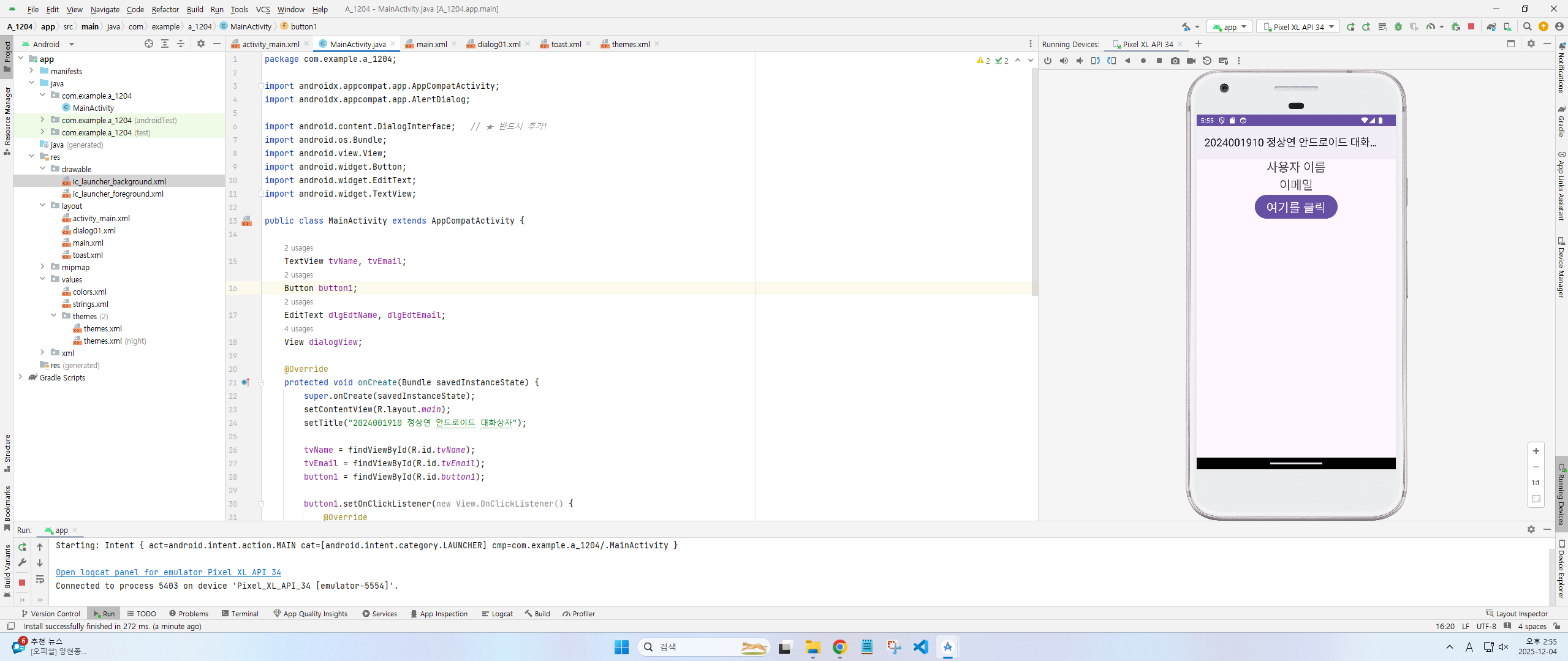
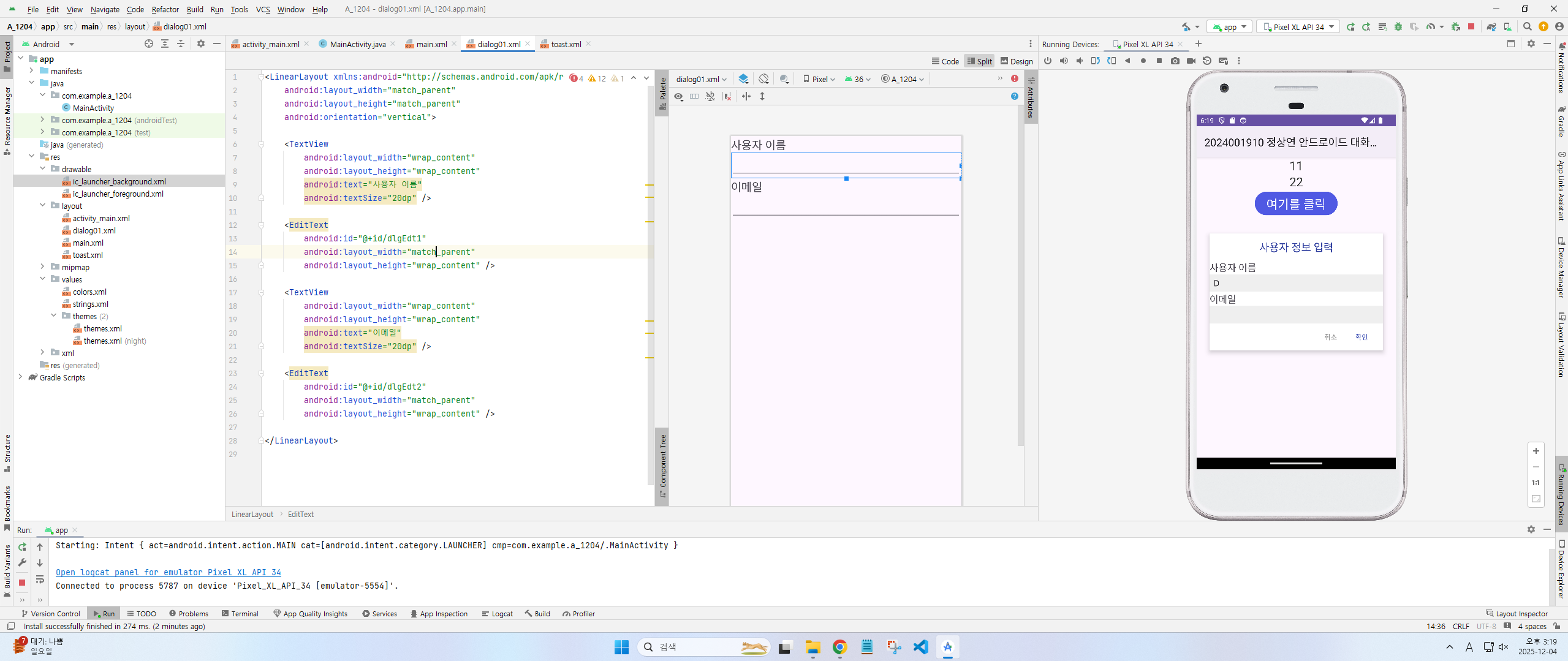
<LinearLayout xmlns:android="http://schemas.android.com/apk/res/android"
    android:layout_width="match_parent"
    android:layout_height="match_parent"
    android:orientation="vertical">

    <TextView
        android:layout_width="wrap_content"
        android:layout_height="wrap_content"
        android:text="사용자 이름"
        android:textSize="20dp" />

    <EditText
        android:id="@+id/dlgEdt1"
        android:layout_width="match_parent"
        android:layout_height="wrap_content" />

    <TextView
        android:layout_width="wrap_content"
        android:layout_height="wrap_content"
        android:text="이메일"
        android:textSize="20dp" />

    <EditText
        android:id="@+id/dlgEdt2"
        android:layout_width="match_parent"
        android:layout_height="wrap_content" />

</LinearLayout>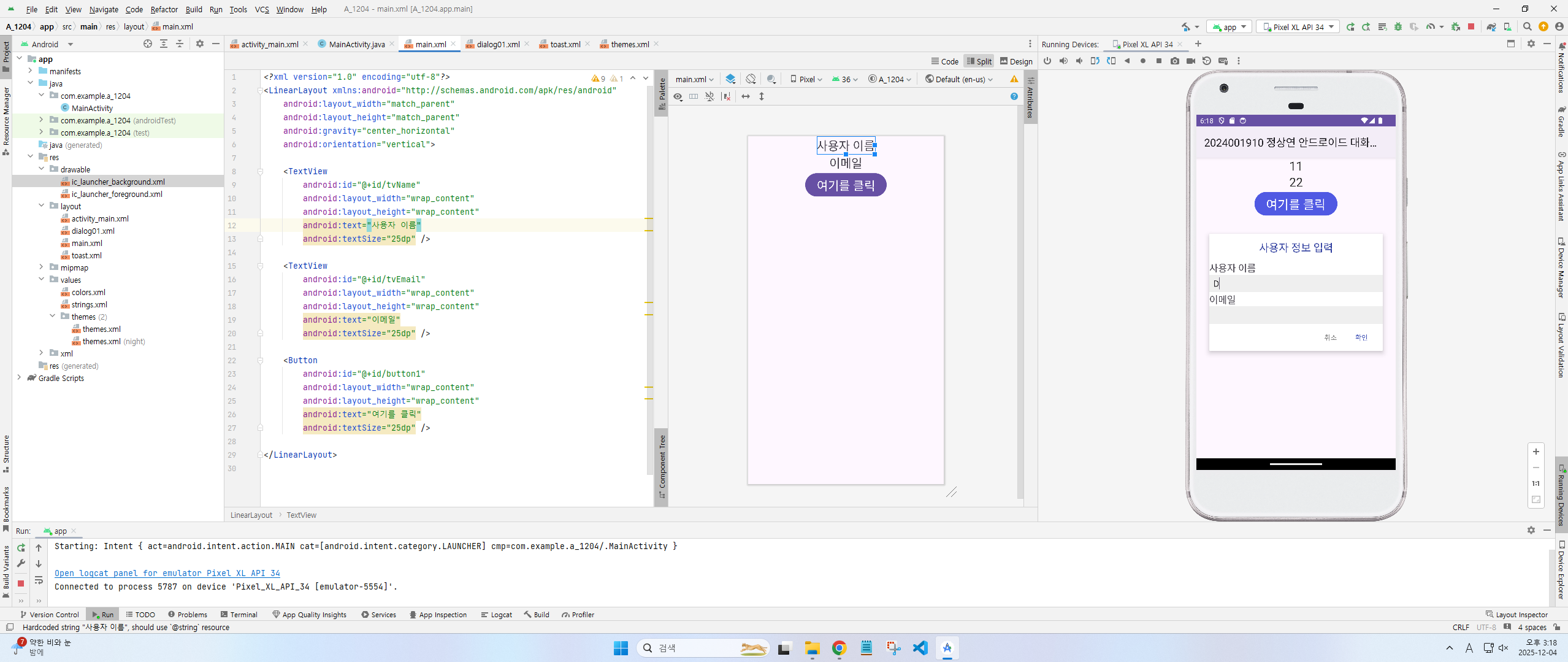
<?xml version="1.0" encoding="utf-8"?>
<LinearLayout xmlns:android="http://schemas.android.com/apk/res/android"
    android:layout_width="match_parent"
    android:layout_height="match_parent"
    android:gravity="center_horizontal"
    android:orientation="vertical">

    <TextView
        android:id="@+id/tvName"
        android:layout_width="wrap_content"
        android:layout_height="wrap_content"
        android:text="사용자 이름"
        android:textSize="25dp" />

    <TextView
        android:id="@+id/tvEmail"
        android:layout_width="wrap_content"
        android:layout_height="wrap_content"
        android:text="이메일"
        android:textSize="25dp" />

    <Button
        android:id="@+id/button1"
        android:layout_width="wrap_content"
        android:layout_height="wrap_content"
        android:text="여기를 클릭"
        android:textSize="25dp" />

</LinearLayout>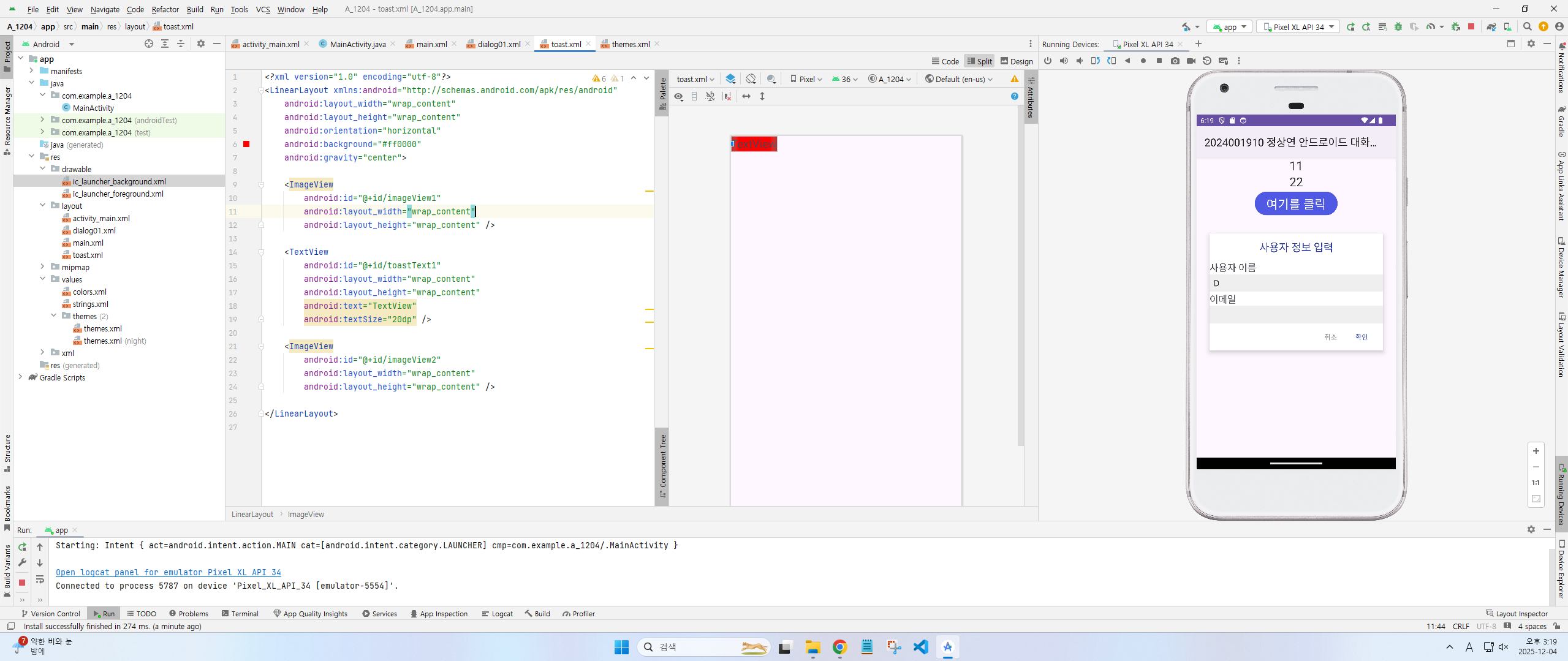
<?xml version="1.0" encoding="utf-8"?>
<LinearLayout xmlns:android="http://schemas.android.com/apk/res/android"
    android:layout_width="wrap_content"
    android:layout_height="wrap_content"
    android:orientation="horizontal"
    android:background="#ff0000"
    android:gravity="center">

    <ImageView
        android:id="@+id/imageView1"
        android:layout_width="wrap_content"
        android:layout_height="wrap_content" />

    <TextView
        android:id="@+id/toastText1"
        android:layout_width="wrap_content"
        android:layout_height="wrap_content"
        android:text="TextView"
        android:textSize="20dp" />

    <ImageView
        android:id="@+id/imageView2"
        android:layout_width="wrap_content"
        android:layout_height="wrap_content" />

</LinearLayout>
package com.example.a_12_04_2;
import androidx.appcompat.app.AppCompatActivity;
import android.os.Bundle;
import android.view.View;
import android.widget.Button;
import android.widget.Toast;
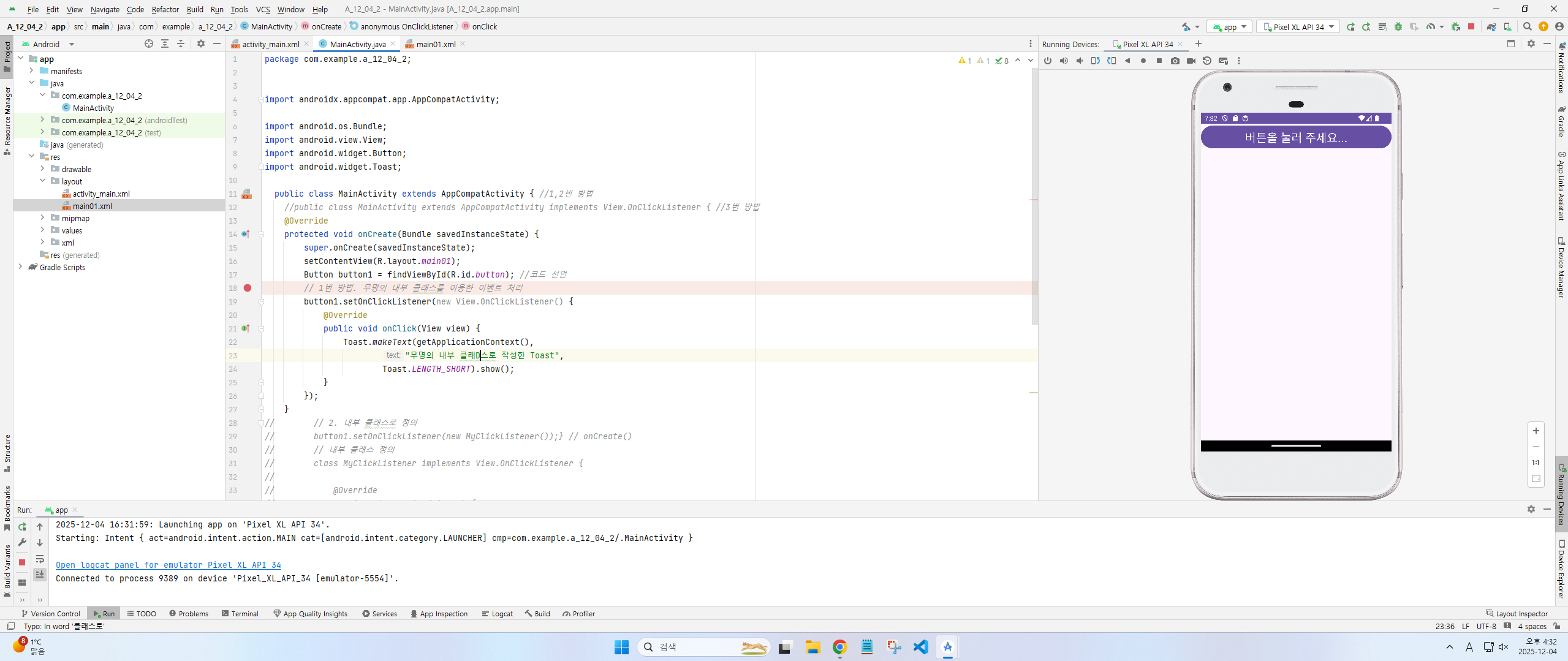
public class MainActivity extends AppCompatActivity { //1,2번 방법
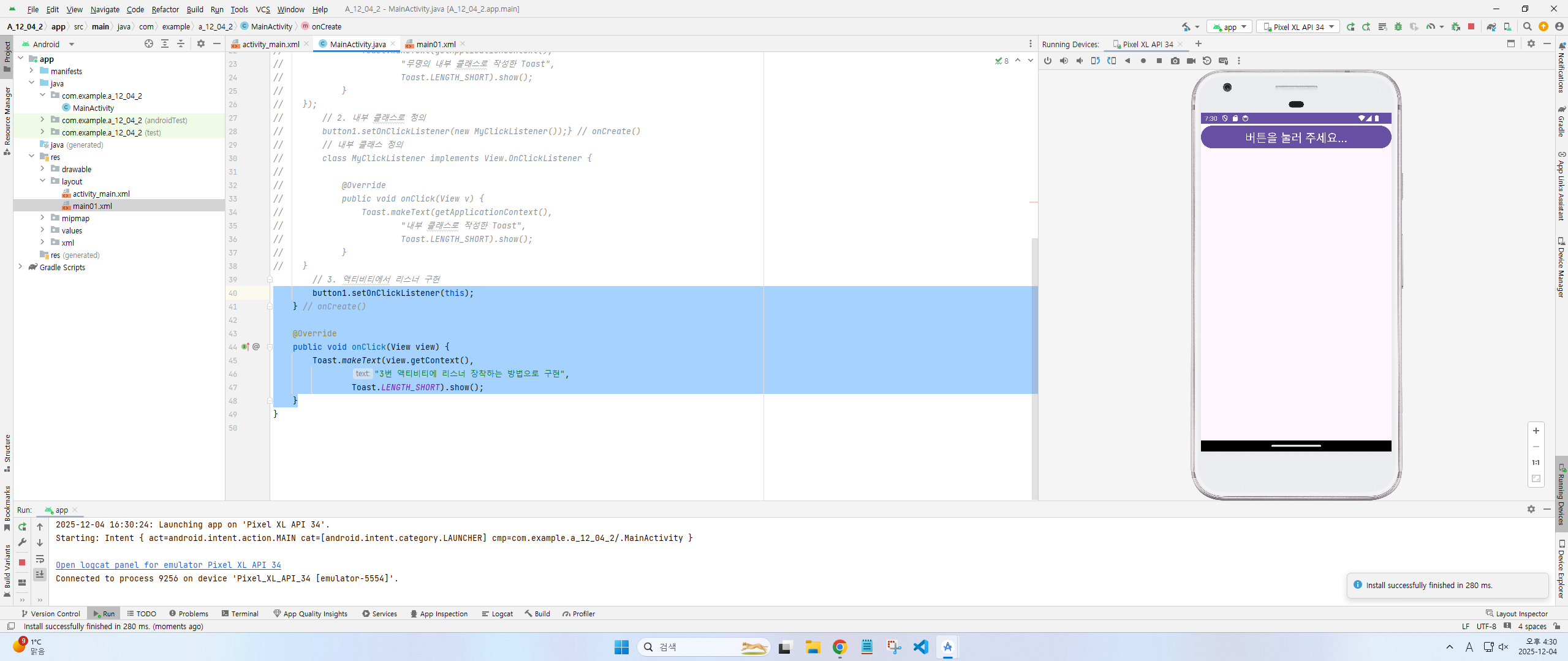
//public class MainActivity extends AppCompatActivity implements View.OnClickListener { //3번 방법
@Override
protected void onCreate(Bundle savedInstanceState) {
super.onCreate(savedInstanceState);
setContentView(R.layout.main01);
Button button1 = findViewById(R.id.button); //코드 선언
// 1번 방법. 무명의 내부 클래스를 이용한 이벤트 처리
button1.setOnClickListener(new View.OnClickListener() {
@Override
public void onClick(View view) {
Toast.makeText(getApplicationContext(),
"무명의 내부 클래스로 작성한 Toast",
Toast.LENGTH_SHORT).show();
}
});
}
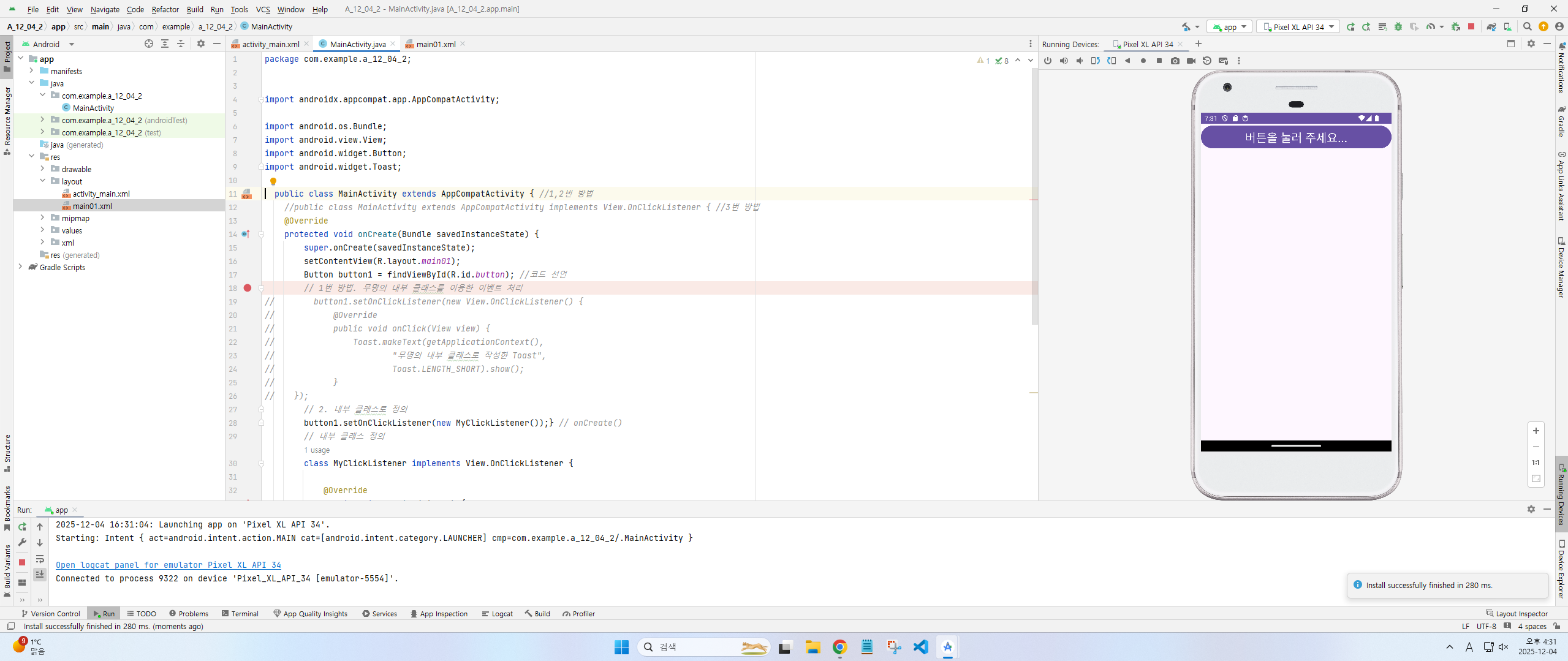
// // 2. 내부 클래스로 정의
// button1.setOnClickListener(new MyClickListener());} // onCreate()
// // 내부 클래스 정의
// class MyClickListener implements View.OnClickListener {
//
// @Override
// public void onClick(View v) {
// Toast.makeText(getApplicationContext(),
// "내부 클래스로 작성한 Toast",
// Toast.LENGTH_SHORT).show();
// }
// }
// 3. 액티비티에서 리스너 구현
// button1.setOnClickListener(this);
// } // onCreate()
//
// @Override
// public void onClick(View view) {
// Toast.makeText(view.getContext(),
// "3번 액티비티에 리스너 장착하는 방법으로 구현",
// Toast.LENGTH_SHORT).show();
// }
}1번
2번
3번
메인
<?xml version="1.0" encoding="utf-8"?>
<LinearLayout xmlns:android="http://schemas.android.com/apk/res/android"
    android:layout_width="match_parent"
    android:layout_height="match_parent"
    android:orientation="vertical">

    <Button
        android:id="@+id/button"
        android:layout_width="match_parent"
        android:layout_height="wrap_content"
        android:text="버튼을 눌러 주세요..."
        android:textSize="25dp" />
</LinearLayout>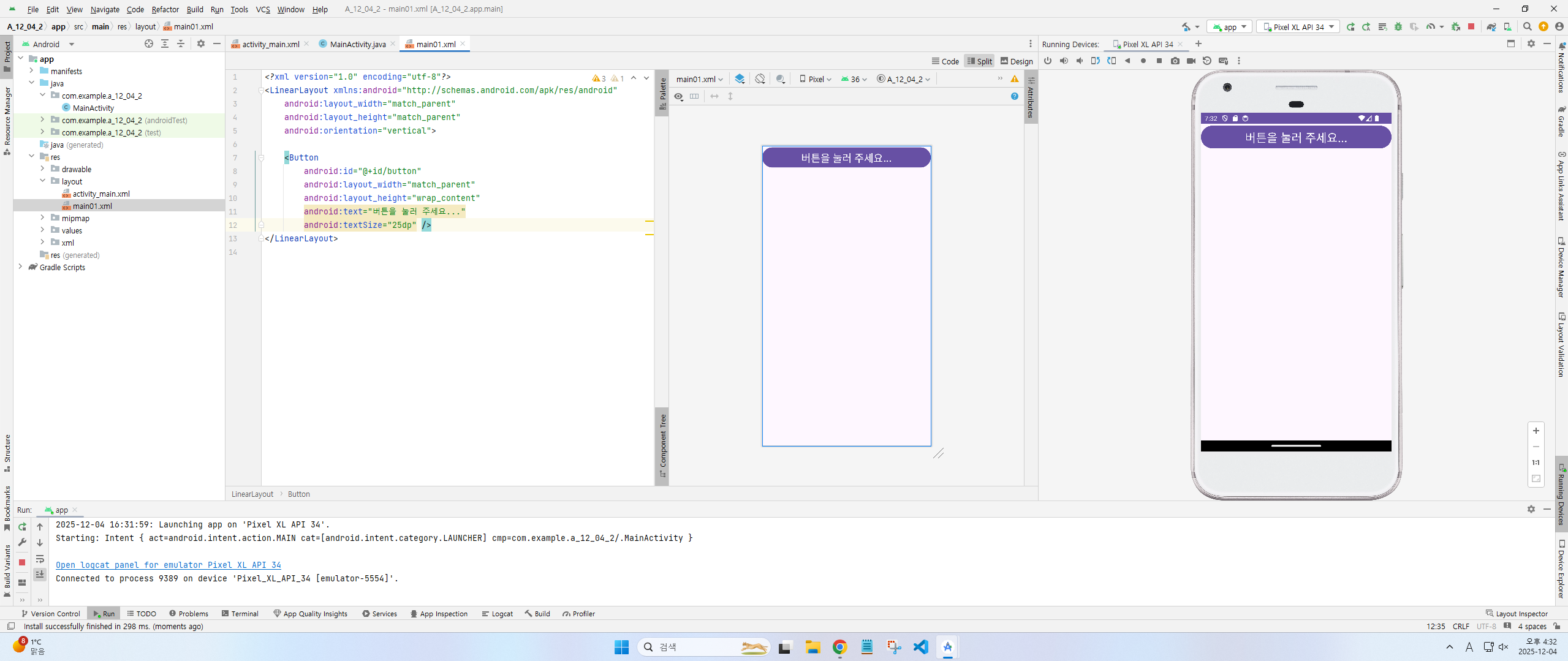
'2025 상,하반기 전공과목 > 2025 안드로이드 개발 정리' 카테고리의 다른 글
| 안드로이드 12/11 기말고사 대비 (1) | 2025.12.11 |
|---|---|
| 안드로이드 11/13 정리 (0) | 2025.11.13 |