안드로이드 12/11 기말고사 대비
2025. 12. 11. 16:00ㆍ2025 상,하반기 전공과목/2025 안드로이드 개발 정리
반응형
시험범위
메뉴(Menu)
- 옵션 메뉴(Options Menu)
- 컨텍스트 메뉴(Context Menu)
대화상자(Dialog)
- 기본 대화상자(AlertDialog)
- 사용자 정의 대화상자(Custom Dialog)
이벤트(Event)
(그래픽은 낼까말까 고민중)
- 일반 뷰 이벤트(Button click 등)
- 어댑터뷰 이벤트(AdapterView, ListView 클릭 이벤트)
오늘 배운거 어댑트뷰, 리스트뷰
어댑트뷰
더보기
더보기
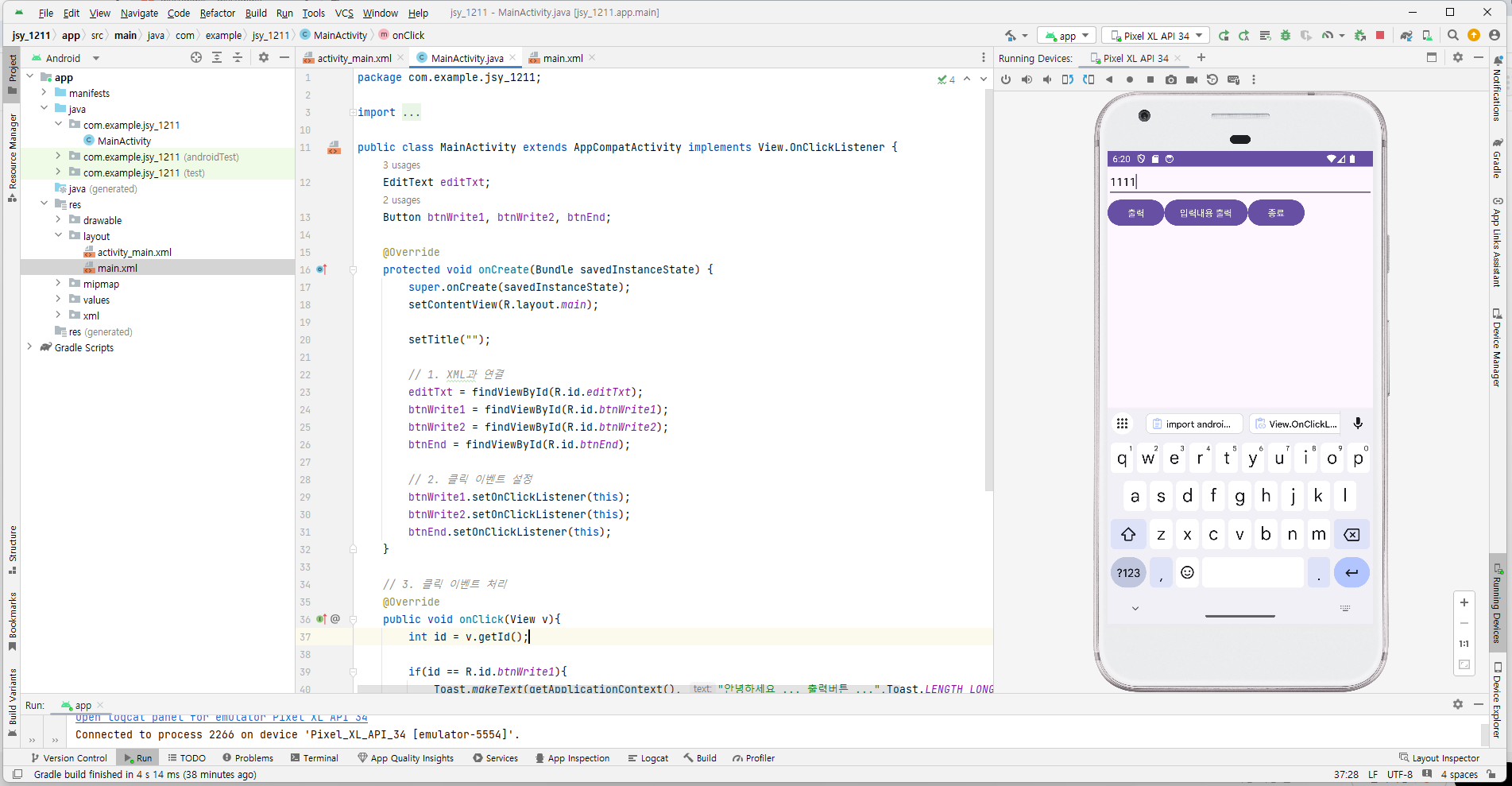
package com.example.jsy_1211;

import androidx.appcompat.app.AppCompatActivity;

import android.os.Bundle;
import android.view.View;
import android.widget.Button;
import android.widget.EditText;
import android.widget.Toast;

public class MainActivity extends AppCompatActivity implements View.OnClickListener {
    EditText editTxt;
    Button btnWrite1, btnWrite2, btnEnd;

    @Override
    protected void onCreate(Bundle savedInstanceState) {
        super.onCreate(savedInstanceState);
        setContentView(R.layout.main);

        setTitle("");

        // 1. XML과 연결
        editTxt = findViewById(R.id.editTxt);
        btnWrite1 = findViewById(R.id.btnWrite1);
        btnWrite2 = findViewById(R.id.btnWrite2);
        btnEnd = findViewById(R.id.btnEnd);

        // 2. 클릭 이벤트 설정
        btnWrite1.setOnClickListener(this);
        btnWrite2.setOnClickListener(this);
        btnEnd.setOnClickListener(this);
    }

    // 3. 클릭 이벤트 처리
    @Override
    public void onClick(View v){
        int id = v.getId();

        if(id == R.id.btnWrite1){
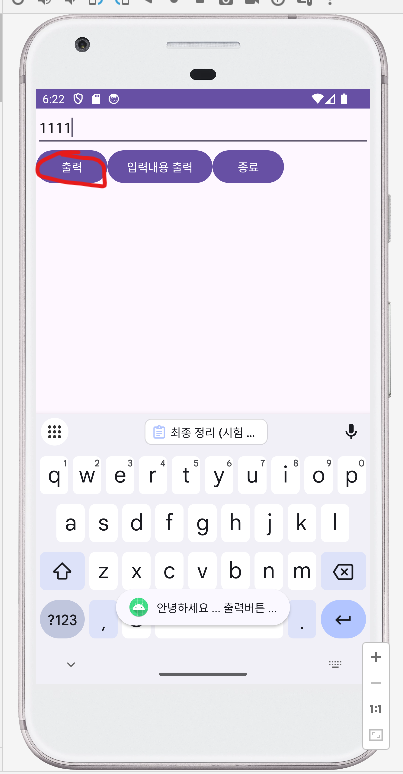
            Toast.makeText(getApplicationContext(), "안녕하세요 ... 출력버튼 ...",Toast.LENGTH_LONG).show();
        } else if(id == R.id.btnWrite2){
            if(editTxt.getText().toString().length() == 0){
                Toast.makeText(getApplicationContext(), "내용을 입력하세요 ~~~",Toast.LENGTH_LONG).show();
            } else {
                Toast.makeText(getApplicationContext(), editTxt.getText(),Toast.LENGTH_LONG).show();
            }
        } else if(id == R.id.btnEnd){
            finish();
        }
    }
}
더보기
더보기
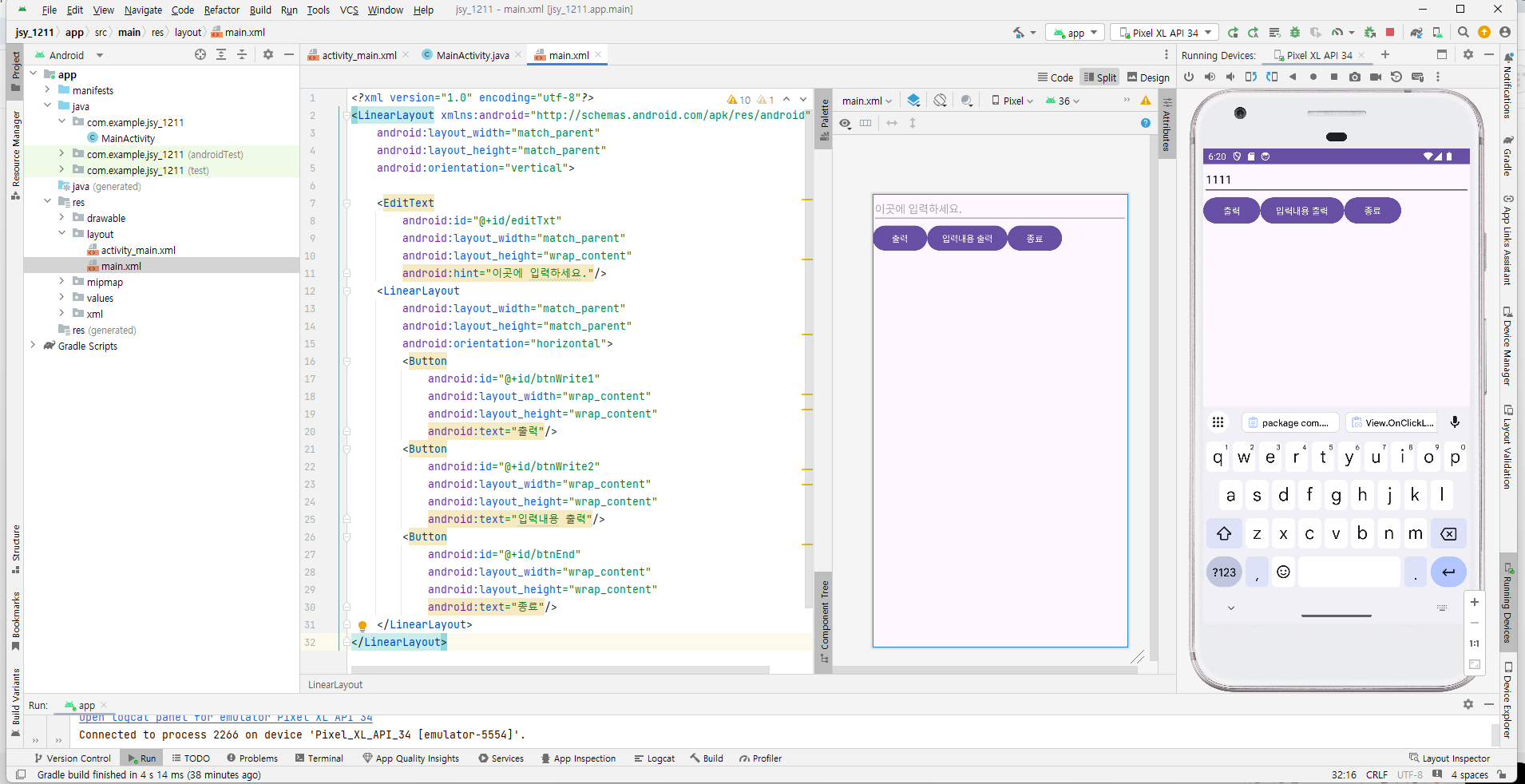
<?xml version="1.0" encoding="utf-8"?>
<LinearLayout xmlns:android="http://schemas.android.com/apk/res/android"
    android:layout_width="match_parent"
    android:layout_height="match_parent"
    android:orientation="vertical">

    <EditText
        android:id="@+id/editTxt"
        android:layout_width="match_parent"
        android:layout_height="wrap_content"
        android:hint="이곳에 입력하세요."/>
    <LinearLayout
        android:layout_width="match_parent"
        android:layout_height="match_parent"
        android:orientation="horizontal">
        <Button
            android:id="@+id/btnWrite1"
            android:layout_width="wrap_content"
            android:layout_height="wrap_content"
            android:text="출력"/>
        <Button
            android:id="@+id/btnWrite2"
            android:layout_width="wrap_content"
            android:layout_height="wrap_content"
            android:text="입력내용 출력"/>
        <Button
            android:id="@+id/btnEnd"
            android:layout_width="wrap_content"
            android:layout_height="wrap_content"
            android:text="종료"/>
    </LinearLayout>
</LinearLayout>
결과창


리스트 뷰

더보기
더보기
package com.example.jsy_listview;

import androidx.appcompat.app.AppCompatActivity;

import android.os.Bundle;
import android.widget.ArrayAdapter;
import android.widget.ListView;

public class MainActivity extends AppCompatActivity {

    @Override
    protected void onCreate(Bundle savedInstanceState) {
        super.onCreate(savedInstanceState);
        setContentView(R.layout.main);
        final String[] mid = {
                "미스터 션샤인",
                "태양의 후예",
                "도깨비",
                "부부의 세계",
                "슬기로운 의사생활",
                "사랑의 불시착",
                "이태원 클라쓰",
                "응답하라 1988",
                "별에서 온 그대",
                "호텔 델루나",
                "사내맞선",
                "환혼",
                "더 글로리",
                "눈물의 여왕",
                "굿바이 솔로",
                "비밀의 숲",
                "청춘기록",
                "킹덤",
                "빈센조",
                "동백꽃 필 무렵"
        };
        ListView list = findViewById(R.id.listView);
        ArrayAdapter<String> adapter =  new ArrayAdapter<String>(this, android.R.layout.simple_list_item_1, mid);
        list.setAdapter(adapter);
    }
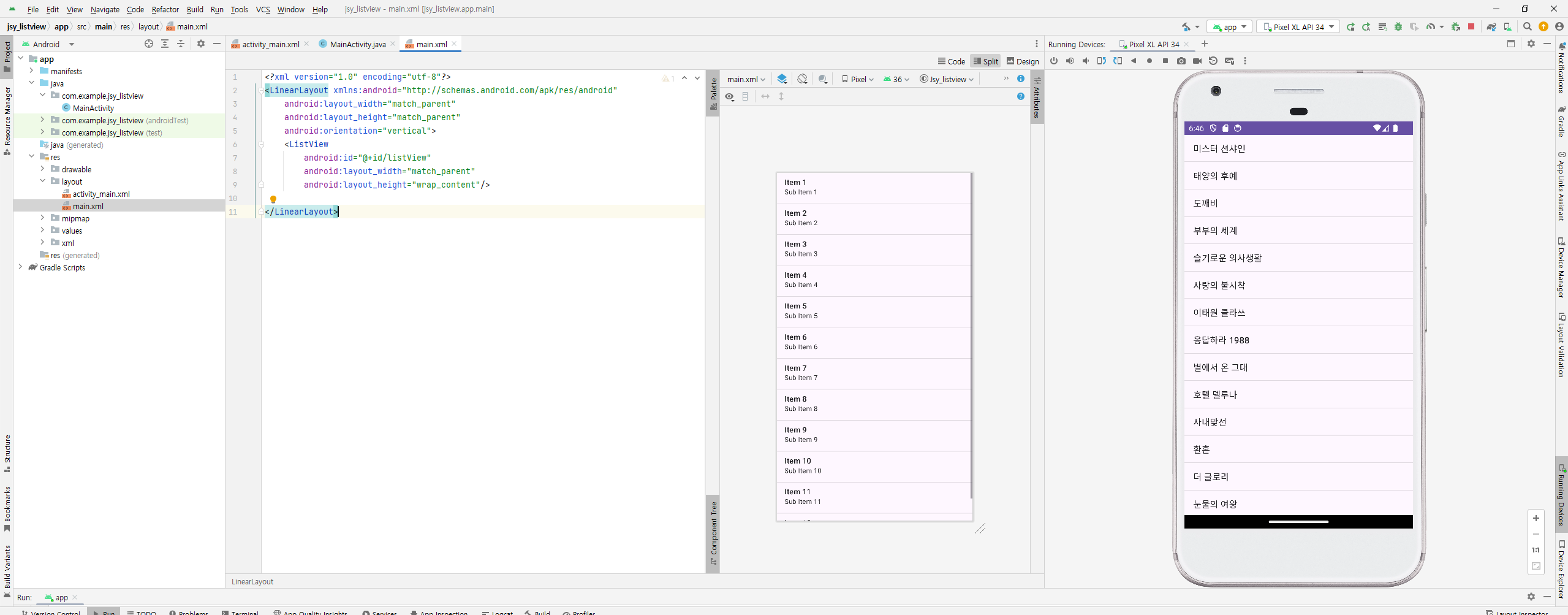
}
더보기
더보기
<?xml version="1.0" encoding="utf-8"?>
<LinearLayout xmlns:android="http://schemas.android.com/apk/res/android"
    android:layout_width="match_parent"
    android:layout_height="match_parent"
    android:orientation="vertical">
    <ListView
        android:id="@+id/listView"
        android:layout_width="match_parent"
        android:layout_height="wrap_content"/>

</LinearLayout>
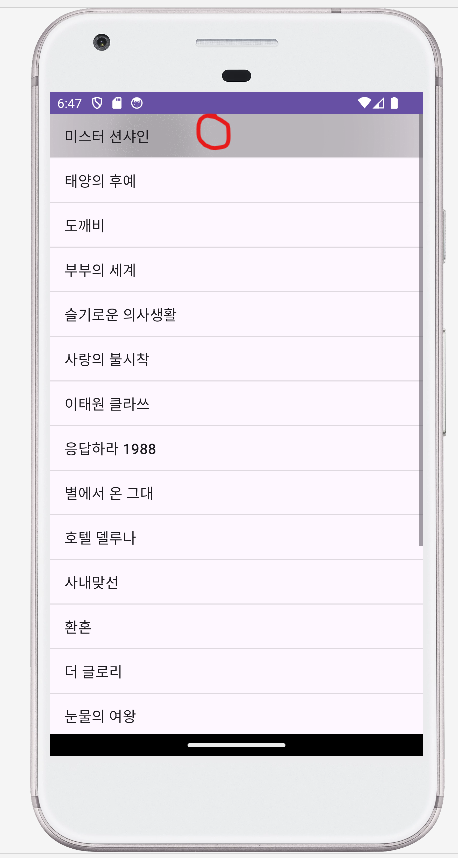
실행결과
'2025 상,하반기 전공과목 > 2025 안드로이드 개발 정리' 카테고리의 다른 글
| 안드로이드 14주차 11/20 사용자정의 대화상자 (0) | 2025.12.04 |
|---|---|
| 안드로이드 11/13 정리 (0) | 2025.11.13 |