2026. 4. 15. 21:10ㆍ대우개발원 수업 내용/spring boot, framework
Spring Boot와 Axios를 활용한 게시판 댓글 페이징 및 CRUD 프론트엔드 연동 구현
1. REST 컨트롤러 기반 댓글 페이징 API 및 DTO 설정
ReplyController에 특정 게시물의 댓글 목록을 페이징 처리하여 반환하는 기능 구현
목록 조회 (@GetMapping): 특정 게시물 번호(bno)와 페이지 정보(PageRequestDTO)를 파라미터로 받아 댓글 목록 반환
날짜 포맷팅 (@JsonFormat): ReplyDTO의 regDate 필드에 패턴을 적용하여 원하는 형식으로 날짜 데이터 구성
2. Axios 기반 비동기 통신 함수 모듈화 (reply.js)
서버와 통신하기 위한 자바스크립트 비동기 함수(async/await) 작성
목록 조회 (getList): 댓글 페이징 목록을 요청하며, 신규 등록 후 마지막 페이지 자동 이동(goLast) 기능 포함
댓글 등록 (addReply): POST 방식으로 새로운 댓글 데이터를 서버에 전송
조회 및 수정 (getReply, modifyReply): 특정 댓글의 상세 정보를 조회하고, PUT 방식으로 내용 갱신
댓글 삭제 (removeReply): DELETE 방식으로 특정 댓글 번호(rno) 삭제 요청
3. DOM 조작을 통한 댓글 목록 및 페이징 동적 출력 (read.html)
자바스크립트를 활용해 비동기 요청으로 받아온 데이터를 화면에 렌더링
목록 렌더링 (printList): 서버 응답 데이터(dtoList)를 순회하며 HTML 문자열을 구성해 replyList 영역에 삽입
페이징 렌더링 (printPages): 이전/다음 여부와 페이지 번호 구간을 계산해 동적으로 이동 링크 생성 및 삽입
이벤트 처리: 페이지 번호 클릭 시 브라우저 기본 동작(preventDefault) 및 버블링 방지 후 해당 번호 페이지로 목록 갱신
4. Bootstrap 모달을 활용한 새 댓글 등록 구현
페이지 이동 없이 모달창을 띄워 신규 댓글 입력 및 저장 처리
모달 활성화: ADD REPLY 버튼 클릭 시 입력 모달창 호출
데이터 전송: 입력값(replyText, replyer)을 취합하여 객체 생성 후 addReply 함수 실행
등록 후 처리: 성공 알림 후 모달창 입력란 초기화 및 닫기, 방금 작성한 댓글 확인을 위해 마지막 페이지로 목록 갱신
5. 모달창을 활용한 기존 댓글 상세 조회 및 수정, 삭제 구현
출력된 댓글 목록을 클릭하여 상세 정보 모달창을 띄우고 데이터 제어
상세 조회: 클릭한 댓글 항목의 번호(rno)를 추출해 상세 데이터를 서버에서 받아와 모달창 폼에 내용 출력
수정 처리: 변경된 텍스트를 서버로 전송하여 수정하고, 성공 시 모달을 닫은 후 첫 번째 페이지로 목록 갱신
삭제 처리: 댓글 번호를 서버로 전송하여 삭제하고, 성공 시 모달을 닫은 후 결과를 확인하기 위해 첫 번째 페이지로 돌아가 목록 갱신
어제 오류가 났는데
ReplyController에 아래의 코드를 추가하지 않아서
클라이언트가 특정 게시물 번호를 요청하면 해당 게시물의 댓글들을 페이징 처리된 형태로 반환하는 API가 되지 않아
이상한 결과가 나왔던것이다
ReplyController.java
@Operation(description = "GET 방식으로 특정 게시물의 댓글 목록")
@GetMapping(value = "/list/{bno}")
public PageResponseDTO<ReplyDTO> getList(@PathVariable("bno") Long bno,
                                         PageRequestDTO pageRequestDTO){
    PageResponseDTO<ReplyDTO> responseDTO = replyService.getListOfBoard(bno,pageRequestDTO);
    return responseDTO;
}
페이지 이동 시 pageRequestDTO를 통해 원하는 페이지를 요청
reply.js 코드를 아래처럼 수정
async function get1(bno) { // 함수 내부에서 await 사용 가능. 항상 Promise 반환
    const result = await axios.get(`/replies/list/${bno}`)
    // 서버 응답이 올 때까지 기다림. 비동기 호출
    // console.log(result)
    // return result.data;
    return result
}
read.html 아래 구문 수정
<script layout:fragment="script" th:inline="javascript">
    const bno = [[${dto.bno}]]
    console.log("bno:", bno);
    get1(bno)
    console.log((get1(bno)))

</script>
실행을 시켜서 개발자 도구를 확인해보면
bno가 찍히고 promise와 object가 있는걸을 확인

테스트 코드에서 201 번에 reply(댓글)
@Test
public void testInsert() {
    Long bno = 201L; //실제 DB에 있는 bno
    Board board = Board.builder().bno(bno).build();
    Reply reply = Reply.builder()
            .board(board)
            .replyText("댓글....")
            .replyer("replyer1")
            .build();
    replyRepository.save(reply);
}
@Test
public void testBoardReplies() {
    Long bno = 14L;
    Pageable pageable = PageRequest.of(0,10, Sort.by("rno").descending());
    Page<Reply> result = replyRepository.listOfBoard(bno, pageable);
    result.getContent().forEach(reply -> {
        log.info(reply);
    });
}
을 추가 했으므로
확인해보면
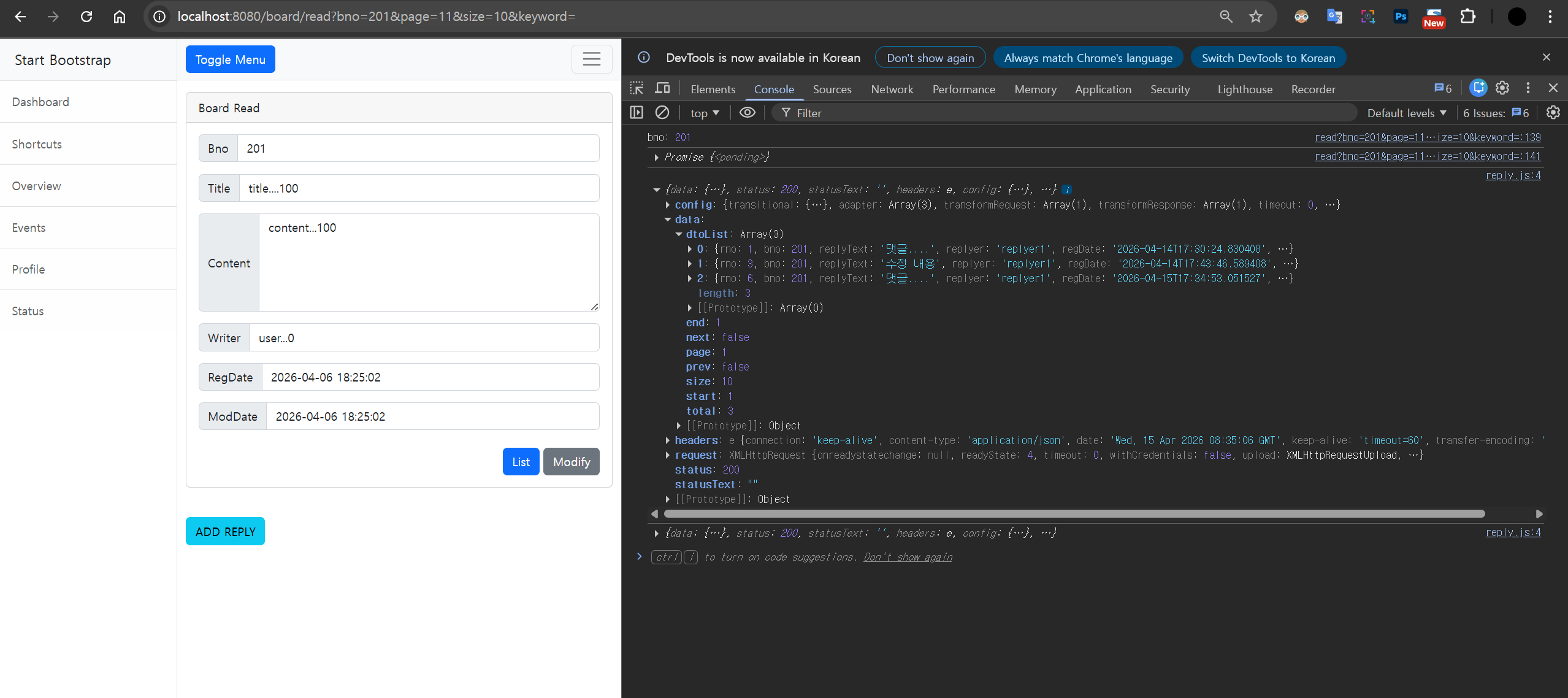
dtoList
:
Array(3)
0
:
{rno: 1, bno: 201, replyText: '댓글....', replyer: 'replyer1', regDate: '2026-04-14T17:30:24.830408', …}
1
:
{rno: 3, bno: 201, replyText: '수정 내용', replyer: 'replyer1', regDate: '2026-04-14T17:43:46.589408', …}
2
:
{rno: 6, bno: 201, replyText: '댓글....', replyer: 'replyer1', regDate: '2026-04-15T17:34:53.051527', …}
length
:
3
이렇게 보이는걸 확인
임의의 더미 댓글 데이터 추가

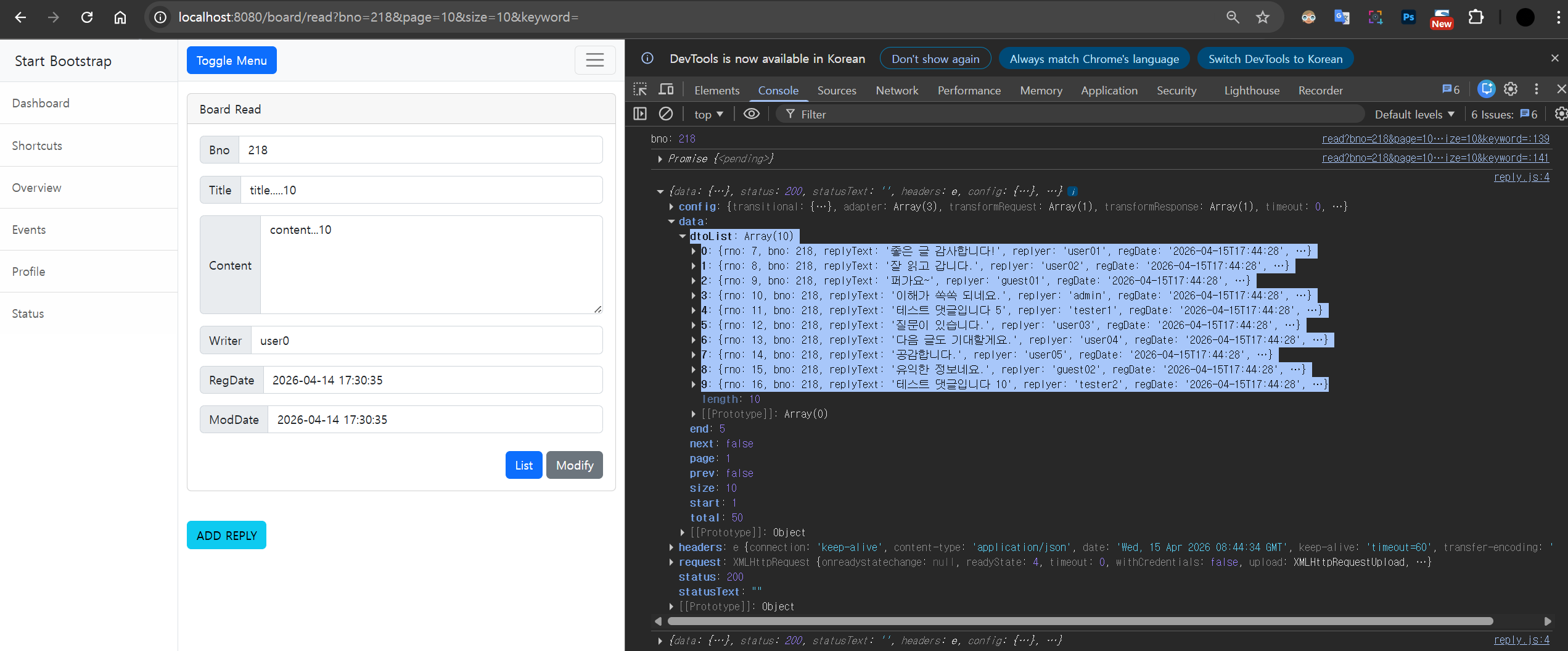
read.html
코드를 수정
<script layout:fragment="script" th:inline="javascript">
    const bno = [[${dto.bno}]]
    // console.log("bno:", bno);
    // get1(bno)
    // console.log((get1(bno)))
    get1(bno).then(
        data => { console.log(data)}
    ).catch(e => { console.log(e)})
</script>
댓글 처리 JavaScript - 댓글 목록 처리
reply.js 에 추가
async function getList({bno, page, size, goLast}){
    const result = await axios.get(`/replies/list/${bno}`, {params: {page, size}})
    return result.data
}
read.html
코드를 지금까지는 테스트 코드였기때문에 수정
<script layout:fragment="script" th:inline="javascript">
    const bno = [[${dto.bno}]]
    // console.log("bno:", bno);
    // get1(bno)
    // console.log((get1(bno)))
    // get1(bno).then(
    //     data => { console.log(data)}
    // ).catch(e => { console.log(e)})
    function printReplies(page,size,goLast){
        getList({bno, page,size, goLast}) // 댓글 데이터 요청(비동기 함수)
            .then(data => {
                console.log(data)
            }
        ).catch(e => {
            console.error(e)
        })
    }
    printReplies(1,10)
</script>
실행했을때 dtoList에 정상적으로 뜸
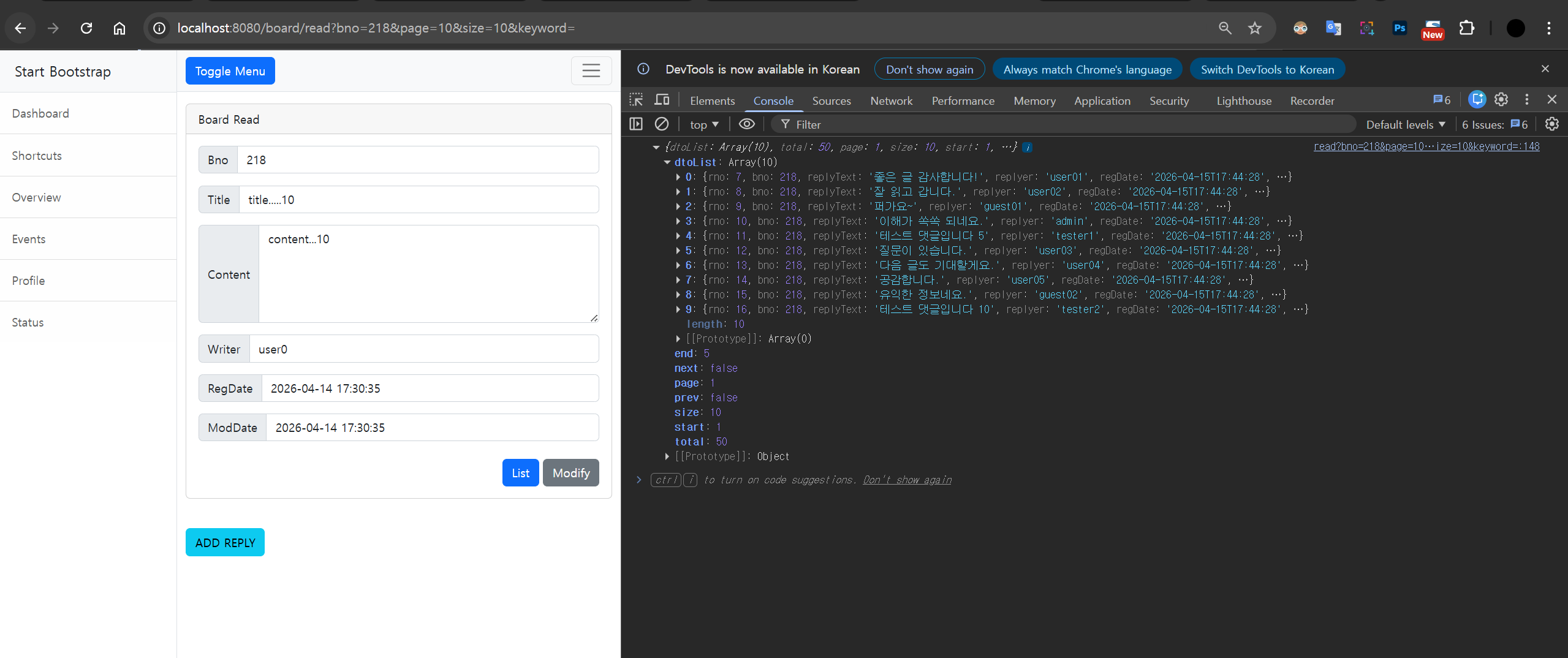
read.html 아래 script에 구문 추가
const replyList = document.querySelector('.replyList') // 댓글 목록 DOM
const replyPaging = document.querySelector('.replyPaging') // 페이지 목록 DOM
function printList(dtoList){ //댓글 목록 출력 함수
let str = ''; // HTML 문자열을 저장할 변수
// dtoList가 존재하고, 길이가 0보다 클 경우 (댓글이 있을 경우)
if(dtoList && dtoList.length > 0){
// dtoList 배열을 순회하면서 각 댓글(dto) 정보를 추가
for (const dto of dtoList) {
str += `<li class="list-group-item d-flex replyItem">
<span class="col-2">${dto.rno}</span> <!-- 댓글 번호 -->
<span class="col-6" data-rno="${dto.rno}">${dto.replyText}</span><!-- 댓글 내용 -->
<span class="col-2">${dto.replyer}</span><!-- 작성자 -->
<span class="col-2">${dto.regDate} </span><!-- 작성 날짜 -->
</li>`
}
}
// 생성된 HTML을 replyList 요소의 내부에 삽입
replyList.innerHTML = str;
}function printPages(data){ //페이지 목록 출력
//pagination
let pageStr = ''; // 페이지 HTML을 저장할 변수
// "PREV" 버튼 추가 ( 이전페이지가 있을 경우)
if(data.prev) {
pageStr +=`<li class="page-item">
<a class="page-link" data-page="${data.start1}">PREV</a></li>`
}
// 페이지 번호 버튼 추가
for(let i = data.start; i <= data.end; i++){
pageStr +=`<li class="page-item ${i == data.page?"active":""} ">
<a class="page-link" datapage="${i}">${i}</a></li>`
}
// "NEXT" 버튼 추가(다음 페이지가 있을 경우)
if(data.next) {
pageStr +=`<li class="page-item">
<a class="page-link" data-page="${data.end+1}">NEXT</a></li>`;
}
// 최종 HTML을 replyPaging 요소에 삽입
replyPaging.innerHTML = pageStr
}
아래 부분도 수정
const bno = [[${dto.bno}]]
// console.log("bno:", bno);
// get1(bno)
// console.log((get1(bno)))
// get1(bno).then(
// data => { console.log(data)}
// ).catch(e => { console.log(e)})
function printReplies(page,size,goLast){
getList({bno, page,size, goLast}) // 댓글 데이터 요청(비동기 함수)
.then(data => {
// console.log(data)
printList(data.dtoList) //목록 처리
printPages(data) //페이지 처리
}
).catch(e => {
console.error(e)
})
}
printReplies(1,10)
전체코드
<!DOCTYPE html>
<html xmlns:th="http://www.thymeleaf.org"
xmlns:layout="http://www.ultraq.net.nz/thymeleaf/layout"
layout:decorate="~{layout/basic.html}">
<head>
<title>Board Read</title>
</head>
<div layout:fragment="content">
<div class="row mt-3">
<div class="col">
<div class="card">
<div class="card-header">
Board Read
</div>
<div class="card-body">
<div class="input-group mb-3">
<span class="input-group-text">Bno</span>
<input type="text" class="form-control" th:value="${dto.bno}" readonly>
</div>
<div class="input-group mb-3">
<span class="input-group-text">Title</span>
<input type="text" class="form-control" th:value="${dto.title}" readonly>
</div>
<div class="input-group mb-3">
<span class="input-group-text">Content</span>
<textarea class="form-control col-sm-5" rows="5" readonly>[[${dto.content}]]</textarea>
</div>
<div class="input-group mb-3">
<span class="input-group-text">Writer</span>
<input type="text" class="form-control" th:value="${dto.writer}" readonly>
</div>
<div class="input-group mb-3">
<span class="input-group-text">RegDate</span>
<input type="text" class="form-control" th:value="${#temporals.format(dto.regDate, 'yyyy-MM-dd HH:mm:ss')}" readonly>
</div>
<div class="input-group mb-3">
<span class="input-group-text">ModDate</span>
<input type="text" class="form-control" th:value="${#temporals.format(dto.modDate, 'yyyy-MM-dd HH:mm:ss')}" readonly>
</div>
<div class="my-4">
<div class="float-end" th:with="link = ${pageRequestDTO.getLink()}">
<a th:href="|@{/board/list}?${link}|" class="text-decoration-none">
<button type="button" class="btn btn-primary">List</button>
</a>
<a th:href="|@{/board/modify(bno=${dto.bno})}&${link}|" class="text-decoration-none">
<button type="button" class="btn btn-secondary">Modify</button>
</a>
</div>
</div>
</div><!--end card body-->
</div><!--end card-->
</div><!-- end col-->
</div><!-- end row-->
<div class="row mt-3">
<div class="col-md-12">
<div class="my-4">
<button class="btn btn-info addReplyBtn">ADD REPLY</button>
</div>
<ul class="list-group replyList">
</ul>
</div>
</div>
<div class="row mt-3">
<div class="col">
<ul class="pagination replyPaging">
</ul>
</div>
</div>
<script src="https://cdn.jsdelivr.net/npm/axios/dist/axios.min.js"> </script>
<script src="/js/reply.js"></script>
</div>
<script layout:fragment="script" th:inline="javascript">
const bno = [[${dto.bno}]]
// console.log("bno:", bno);
// get1(bno)
// console.log((get1(bno)))
// get1(bno).then(
// data => { console.log(data)}
// ).catch(e => { console.log(e)})
function printReplies(page,size,goLast){
getList({bno, page,size, goLast}) // 댓글 데이터 요청(비동기 함수)
.then(data => {
// console.log(data)
printList(data.dtoList) //목록 처리
printPages(data) //페이지 처리
}
).catch(e => {
console.error(e)
})
}
printReplies(1,10)
const replyList = document.querySelector('.replyList') // 댓글 목록 DOM
const replyPaging = document.querySelector('.replyPaging') // 페이지 목록 DOM
function printList(dtoList){ //댓글 목록 출력 함수
    let str = ''; // HTML 문자열을 저장할 변수
    // dtoList가 존재하고, 길이가 0보다 클 경우 (댓글이 있을 경우)
    if(dtoList && dtoList.length > 0){
        // dtoList 배열을 순회하면서 각 댓글(dto) 정보를 추가
        for (const dto of dtoList) {
            str += `<li class="list-group-item d-flex replyItem">
                <span class="col-2">${dto.rno}</span> <!-- 댓글 번호 -->
                <span class="col-6" data-rno="${dto.rno}">${dto.replyText}</span><!-- 댓글 내용 -->
                <span class="col-2">${dto.replyer}</span><!-- 작성자 -->
                <span class="col-2">${dto.regDate} </span><!-- 작성 날짜 -->
                </li>`
        }
    }
    // 생성된 HTML을 replyList 요소의 내부에 삽입
    replyList.innerHTML = str;
}
function printPages(data){ //페이지 목록 출력
    //pagination
    let pageStr = ''; // 페이지 HTML을 저장할 변수
    // "PREV" 버튼 추가 ( 이전페이지가 있을 경우)
    if(data.prev) {
        pageStr +=`<li class="page-item">
        <a class="page-link" data-page="${data.start1}">PREV</a></li>`
    }
    // 페이지 번호 버튼 추가
    for(let i = data.start; i <= data.end; i++){
        pageStr +=`<li class="page-item ${i == data.page?"active":""} ">
        <a class="page-link" datapage="${i}">${i}</a></li>`
    }
    // "NEXT" 버튼 추가(다음 페이지가 있을 경우)
    if(data.next) {
        pageStr +=`<li class="page-item">
        <a class="page-link" data-page="${data.end+1}">NEXT</a></li>`;
    }
    // 최종 HTML을 replyPaging 요소에 삽입
    replyPaging.innerHTML = pageStr
}
</script>
실행하면 댓글 페이지가 뜸
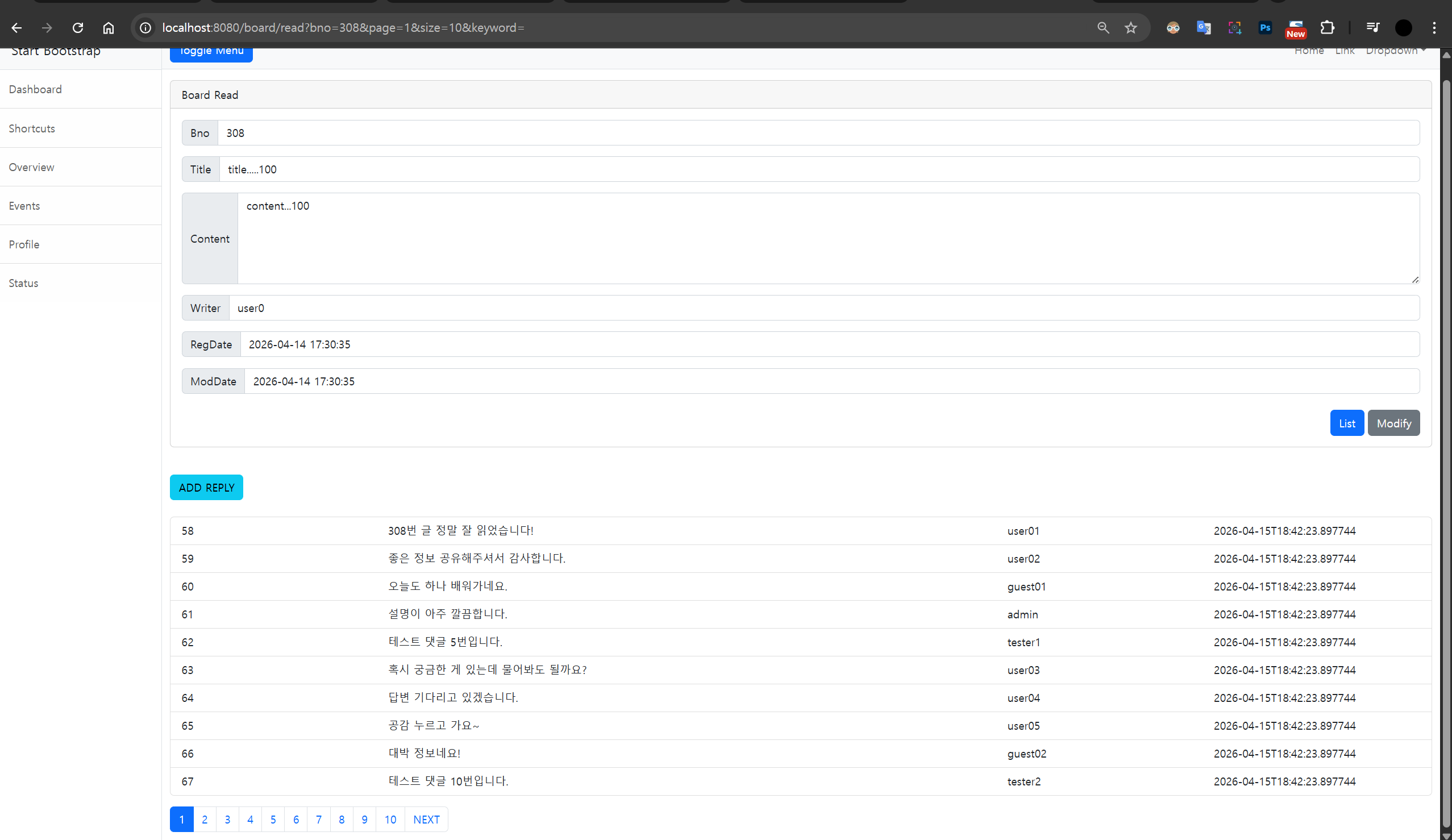
ReplyDTO 수정
@JsonFormat(pattern = "yyyy-MM-dd HH:mm:ss")
private LocalDateTime regDate;
@JsonIgnore
private LocalDateTime modDate;
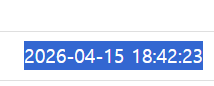
실행하면 날짜가 깔끔하게 뜬다

마지막 페이지로 이동
( 게시글의 댓글 목록을 서버에 요청해서 가져오는 자바스크립트 함수
방금 쓴 댓글을 확인하기 위해 마지막 페이지로 자동 이동하는 기능 포함)
reply.js 코드 수정
async function getList({bno, page, size, goLast}){
    const result = await axios.get(`/replies/list/${bno}`, {params: {page, size}})
    if(goLast){
        const total = result.data.total
        const lastPage = parseInt(Math.ceil(total/size))
        return getList({bno:bno, page:lastPage, size:size})
    }
    return result.data
}
read.html
코드 수정 goLast에 true로 써서
실행 했을때 마지막 페이지(가장 최근 댓글들)가 화면에 나옴
// printReplies(1,10)
printReplies(1, 10, true)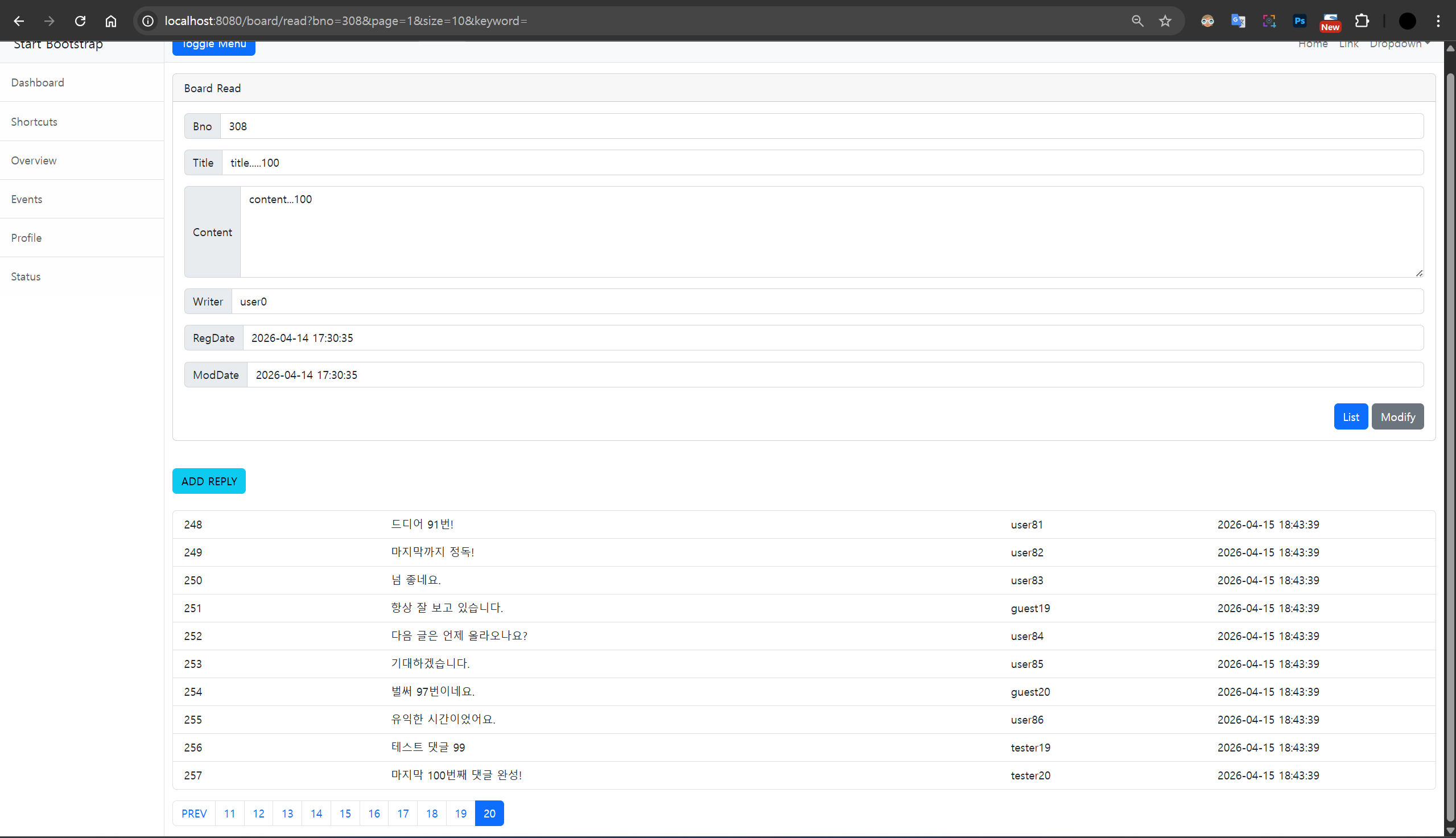

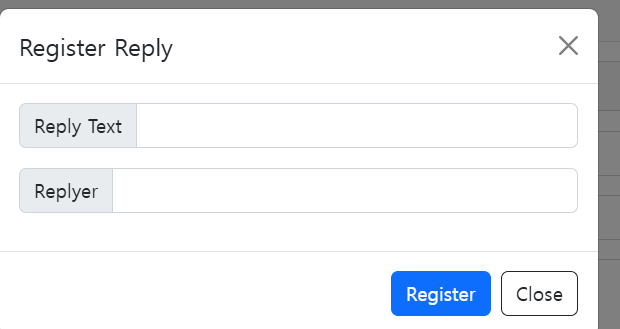
모달창 이용해서 댓글의 등록
reply.js에 async function 추가
async function addReply(replyObj) {
    const response = await axios.post(`/replies/`,replyObj)
    return response.data
}
read.html 에 모달 추가
<!--modal-->
<div class="modal registerModal" tabindex="-1">
    <div class="modal-dialog">
        <div class="modal-content">
            <div class="modal-header">
                <h5 class="modal-title">Register Reply</h5>
                <button type="button" class="btn-close" data-bs-dismiss="modal" aria-label="Close"></button>
            </div>
            <div class="modal-body">
                <div class="input-group mb-3">
                    <span class="input-group-text">Reply Text</span>
                    <input type="text" class="form-control replyText" >
                </div>
                <div class="input-group mb-3" >
                    <span class="input-group-text">Replyer</span>
                    <input type="text" class="form-control replyer" >
                </div>
            </div>
            <div class="modal-footer">
                <button type="button" class="btn btn-primary registerBtn">Register</button>
                <button type="button" class="btn btn-outline-dark closeRegisterBtn" >Close</button>
            </div>
        </div>
    </div>
</div>
<!-- end regist modal -->
<script src="https://cdn.jsdelivr.net/npm/axios/dist/axios.min.js"></script>
댓글 등록 모달 추가
//댓글 등록 모달
const registerModal = new bootstrap.Modal(document.querySelector(".registerModal"))
//registerModel
const registerBtn = document.querySelector(".registerBtn")
const replyText = document.querySelector(".replyText")
const replyer = document.querySelector(".replyer")
const closeRegisterBtn = document.querySelector(".closeRegisterBtn")
위쪽에 ADD REPLY버튼을 눌렀을때 모달창이 가동할 수 있도록 추가
close 누르면 창이 닫힘
document.querySelector(".addReplyBtn").addEventListener("click", function (e){
    registerModal.show()
},false)
closeRegisterBtn.addEventListener("click", function (e){
    registerModal.hide()
},false)
실행하면

read.html 아래에 코드 추가
1.사용자가 입력창에 타이핑한 값들을 모아서 replyObj라는 하나의 객체를 만들고
2.addReply 함수(아마 내부적으로 axios.post를 씀)를 호출해서 서버로 데이터를 보냄
3.비동기 방식(Promise)**이라서 성공하면 .then으로 넘어가고, 에러가 나면 .catch로 가서 "Exception..." 알림을 띄움
4.서버에 저장이 성공적으로 완료되면 .then 내부의 코드들이 실행
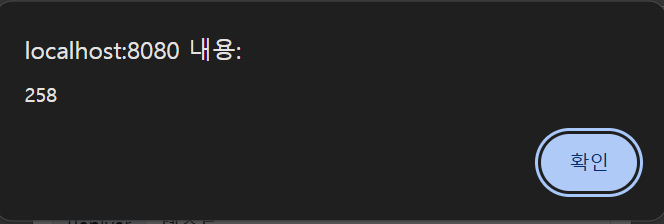
5. alert(result.rno): 서버가 방금 생성한 댓글 번호(rno)를 알려주면, 사용자에게 팝업으로 보여줌
6.rgisterModal.hide(): 댓글을 다 썼으니 입력창(모달 창)을 닫음
7. 입력창 비우기: 다음에 새 댓글을 쓸 때 기존 내용이 남아있지 않게 replyText와 replyer의 값을 빈 칸('')으로 만듬
8. printReplies(1, 10, true): 댓글이 새로 달렸으니 목록을 다시 불러와야 함
아까 위에서 설명한것처럼 true를 줬기 때문에, 방금 내가 쓴 댓글이 포함된 가장 마지막 페이지로 자동 이동해서 화면에 보여줌
registerBtn.addEventListener("click", function(e){
    const replyObj = {
        bno:bno,
        replyText:replyText.value,
        replyer:replyer.value}
    addReply(replyObj).then(result => {
        alert(result.rno)
        registerModal.hide()
        replyText.value = ''
        replyer.value =''
        printReplies(1,10, true) //댓글 목록 갱신
    }).catch(e => {
        alert("Exception...")
    })
}, false)
실행하면


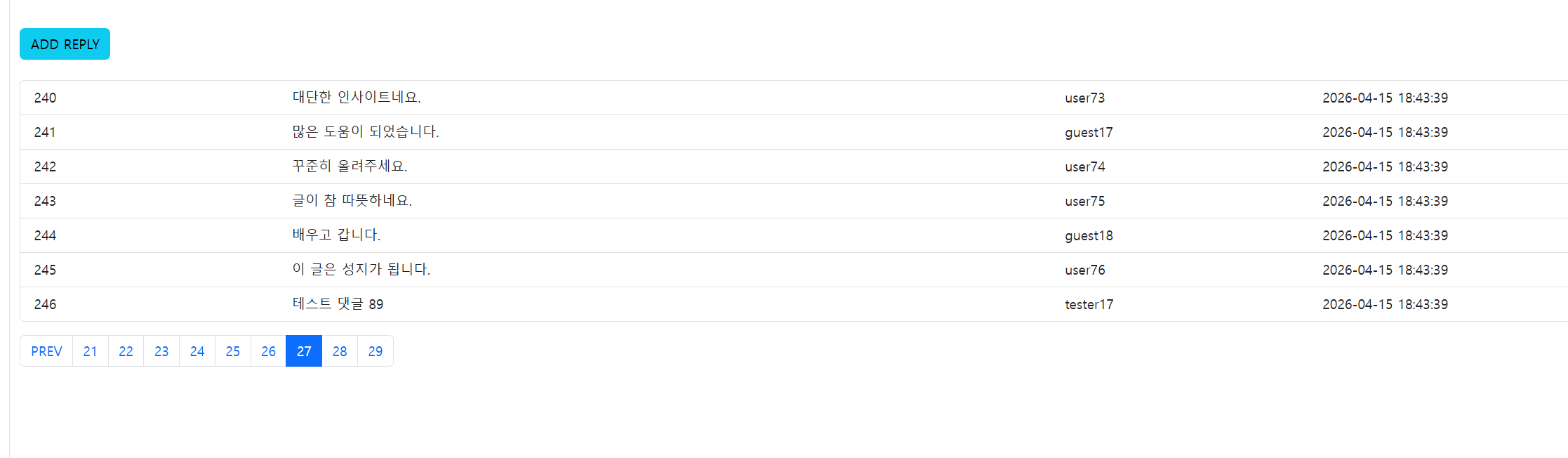
댓글 페이지 번호 클릭이 가능하도록 링크 처리
- page와 size 변수를 만들어 기본 페이지 번호(1)와 한 페이지에 보여줄 댓글 개수(7)를 미리 설정함
- replyPaging 영역(페이지 번호들이 모여있는 곳)을 클릭했을 때 이 안의 코드가 실행되도록 이벤트를 등록함
- e.preventDefault(): <a> 태그(링크)를 클릭했을 때 화면이 새로고침되거나 맨 위로 튕겨 올라가는 브라우저의 기본 동작을 막음
- e.stopPropagation(): 클릭 이벤트가 의도치 않게 부모 요소들로 퍼져나가는 현상(버블링)을 차단함
- const target = e.target: 사용자가 마우스로 정확히 클릭한 그 요소(타겟)가 무엇인지 찾아냄
- if(!target || target.tagName != 'A') { return }: 만약 클릭한 곳이 <a> 태그(페이지 번호 링크)가 아니라면 (예: 번호 주변의 빈 여백을 클릭함), 코드를 더 이상 실행하지 않고 여기서 바로 종료(return)함
- const pageNum = target.getAttribute("data-page"): 제대로 번호 링크를 클릭했다면, 그 태그에 숨겨져 있는 이동할 페이지 번호(data-page 속성 값)를 뽑아냄
- page = pageNum: 처음에 1이었던 현재 페이지 번호 변수를 방금 알아낸 새 페이지 번호로 교체(업데이트)함
- printReplies(page, size): 새로 바뀐 페이지 번호와 설정된 사이즈(7)를 printReplies 함수에 넣어서, 서버로부터 해당 페이지의 댓글 목록을 다시 불러와 화면에 보여줌
//댓글 페이지 클릭
let page = 1
let size = 7
replyPaging.addEventListener("click", function (e){
    e.preventDefault() // 기본 이벤트(페이지 이동 등) 방지
    e.stopPropagation() // 이벤트 버블링 방지
    const target = e.target // 클릭된 요소 가져오기
    // 클릭된 요소가 <a> 태그가 아닐 경우 아무 작업도 하지 않음
    if(!target || target.tagName != 'A'){
        return
    }
    // 클릭된 <a> 태그의 data-page 속성 값을 가져와 page 변수에 저장
    const pageNum = target.getAttribute("data-page")
    page = pageNum
    // 새로운 페이지의 댓글 목록을 가져와 화면에 출력
    printReplies(page, size)
},false)
실행하면
댓글 조회와 수정
reply.js
async function getReply(rno) {
    const response = await axios.get(`/replies/${rno}`)
    return response.data
}
async function modifyReply(replyObj) {
    const response = await axios.put(`/replies/${replyObj.rno}`, replyObj)
    return response.data
}
read.html
<!-- end regist modal -->
<div class="modal modifyModal" tabindex="-1">
    <div class="modal-dialog">
        <div class="modal-content">
            <div class="modal-header">
                <h5 class="modal-title replyHeader"></h5>
                <button type="button" class="btn-close" data-bs-dismiss="modal" aria-label="Close"></button>
            </div>
            <div class="modal-body">
                <div class="input-group mb-3">
                    <span class="input-group-text">Reply Text</span>
                    <input type="text" class="form-control modifyText" >
                </div>
            </div>
            <div class="modal-footer">
                <button type="button" class="btn btn-info modifyBtn">Modify</button>
                <button type="button" class="btn btn-danger removeBtn">Remove</button>
                <button type="button" class="btn btn-outline-dark closeModifyBtn">Close</button>
            </div>
        </div>
    </div>
</div> <!--modifyModal -->
//modifyModal
const modifyModal = new bootstrap.Modal(document.querySelector(".modifyModal"))
const replyHeader = document.querySelector(".replyHeader")
const modifyText = document.querySelector(".modifyText")
const modifyBtn = document.querySelector(".modifyBtn")
const removeBtn = document.querySelector(".removeBtn")
const closeModifyBtn = document.querySelector(".closeModifyBtn")// 댓글 조회
replyList.addEventListener("click", function (e){
e.preventDefault() // 기본 이벤트(페이지 이동 등) 방지
e.stopPropagation()// 이벤트 버블링 방지
const target = e.target // 클릭된 요소 가져오기
// 클릭된 요소가 <a> 태그가 아닐 경우 아무 작업도 하지 않음
if(!target || target.tagName != 'SPAN'){
return
}
// data-rno 속성에서 댓글 번호(rno) 가져오기
const rno = target.getAttribute("data-rno")
if(!rno){ // rno 값이 없으면 실행하지 않음
return
}
// getReply()를 이용해 서버에서 해당 rno 댓글 데이터 가져오기
getReply(rno).then(reply => { //댓글의 내용을 모달창에 채워서 보여주는
console.log(reply) // 서버에서 받은 댓글 데이터 확인(디버깅용)
// 모달 창에 댓글 정보 채우기
replyHeader.innerHTML = reply.rno // 모달 제목에 댓글 번호 표시
modifyText.value = reply.replyText // 수정할 텍스트 입력란에 댓글 내용 채우기
modifyModal.show() // 모달 창 표시
}).catch(e => alert('error')) // 오류 발생 시 알림
},false)실행했을 때

Modify버튼을 누르면 댓글이 수정되었다는 팝업 창이 뜨도
read.html
modifyBtn.addEventListener("click", function(e) {
    const replyObj = {
        bno:bno, // 게시물 번호
        rno:replyHeader.innerHTML, // 모달에서 가져온 댓글 번호(rno)
        replyText:modifyText.value// 수정된 댓글 내용
    }
    // 댓글 수정 API 호출
    modifyReply(replyObj).then(result => {
        alert(result.rno+' 댓글이 수정되었습니다.') // 수정 완료 알림
        replyText.value = '' // 댓글 입력란 초기화
        modifyModal.hide() // 수정 모달 닫기
        printReplies(page, size) // 댓글 목록 갱신
    }).catch(e => {
        console.log(e) // 오류 발생 시 콘솔 출력
    })
},false)
closeModifyBtn.addEventListener("click", function(e){
    modifyModal.hide()
}, false)
실행하면

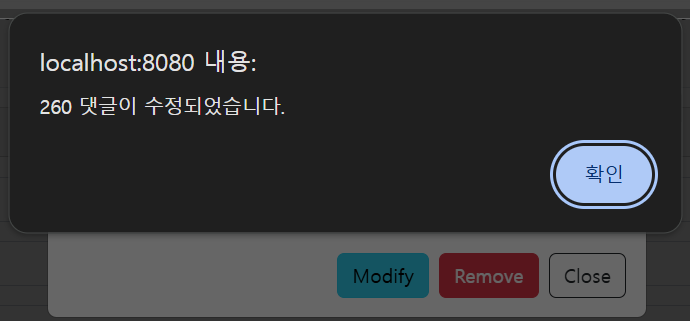
수정을 하고 나서
printReplies(page, size) // 댓글 목록 갱신첫번째 페이지로 넘어옴.
수정을 했을때 remove까지 생각해서 그냥 첫번째 페이지로 넘어오게 하는게 나을거 같아서
첫번째 페이지로 넘어오게 했다.
댓글의 삭제
reply.js 에 아래 코드 추가
async function removeReply(rno) {
    const response = await axios.delete(`/replies/${rno}`)
    return response.data
}
read.html에 아래 코드 추가
removeBtn.addEventListener("click", function(e) {
    // 댓글 삭제 API 호출
    removeReply(replyHeader.innerHTML).then(result => {
        alert(result.rno +' 댓글이 삭제되었습니다.') // 삭제 완료 알림
        replyText.value = '' // 댓글 입력란 초기화
        modifyModal.hide() // 수정 모달 닫기
        page = 1 // 이 부분이 없다면 원래 페이지로( 삭제 후 첫 페이지로 돌아가기)
        printReplies(page, size) // 댓글 목록 갱신
    }).catch(e => {
        console.log(e) // 오류 발생 시 콘솔 출력
    })
},false)
실행하면
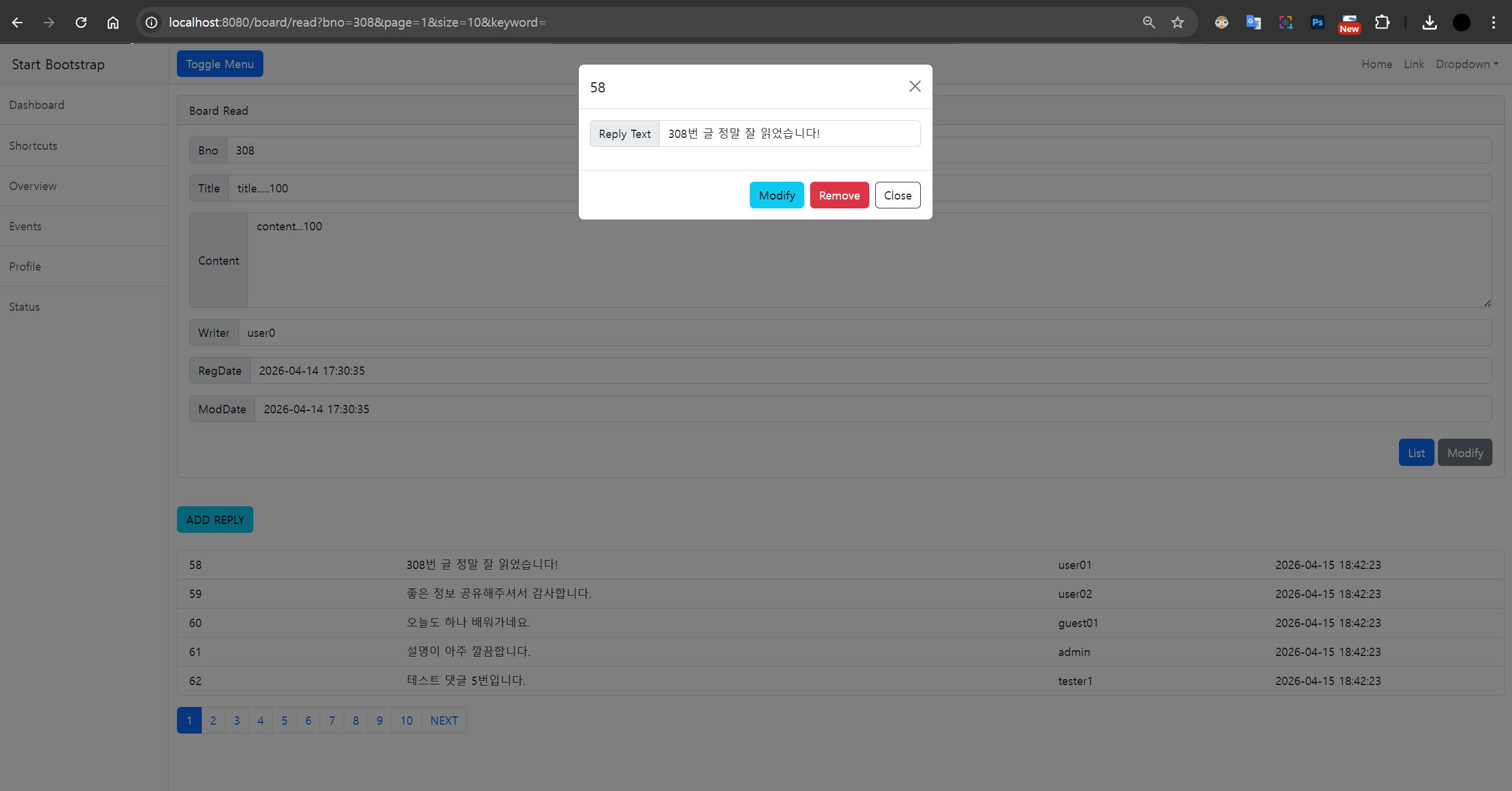
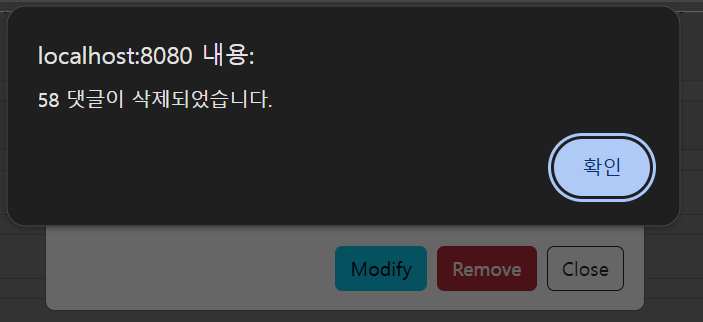
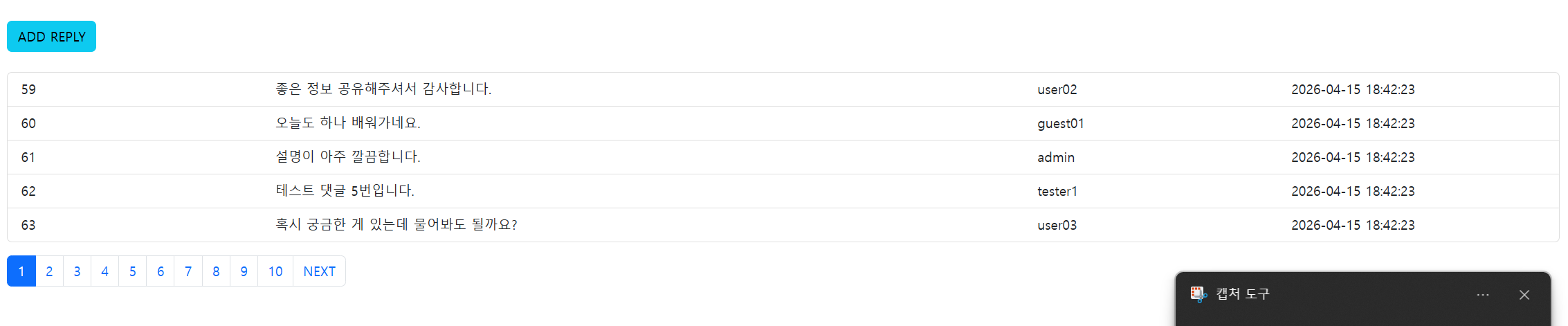
댓글을 삭제했을때 삭제 했다는 알림이 뜨고 정상적으로 댓글이 삭제된다
'대우개발원 수업 내용 > spring boot, framework' 카테고리의 다른 글
| 자바 스프링 부트 10일차 b01Upload (2) | 2026.04.20 |
|---|---|
| 자바 스프링 부트 9일차b01Upload 파일 업로드 처리 (0) | 2026.04.16 |
| 자바 스프링 부트 7일차 b01Rest REST API 서버 구축부터 Axios를 활용한 프론트엔드 통신 준비 (0) | 2026.04.14 |
| 자바 스프링 부트 6일차 b01Rest / Ajax 와 JSON (1) | 2026.04.10 |
| 자바 스프링 부트 5일차 b01 CRUD, 유효성 검사 (1) | 2026.04.09 |